
 Scriptorium Coder
 Scriptorium Coder 1.8 · for Windows
The word processor,
ready for code.
Everything Scriptorium writes, with what a project of many files needs: projects that are folders on your computer, code that opens coloured and numbered, a terminal under the page and Git in plain words. Write the README, the report and the talk in the same program as the code, and every one of them stays an ordinary file.
14 days free with everything switched on, no account and no card.
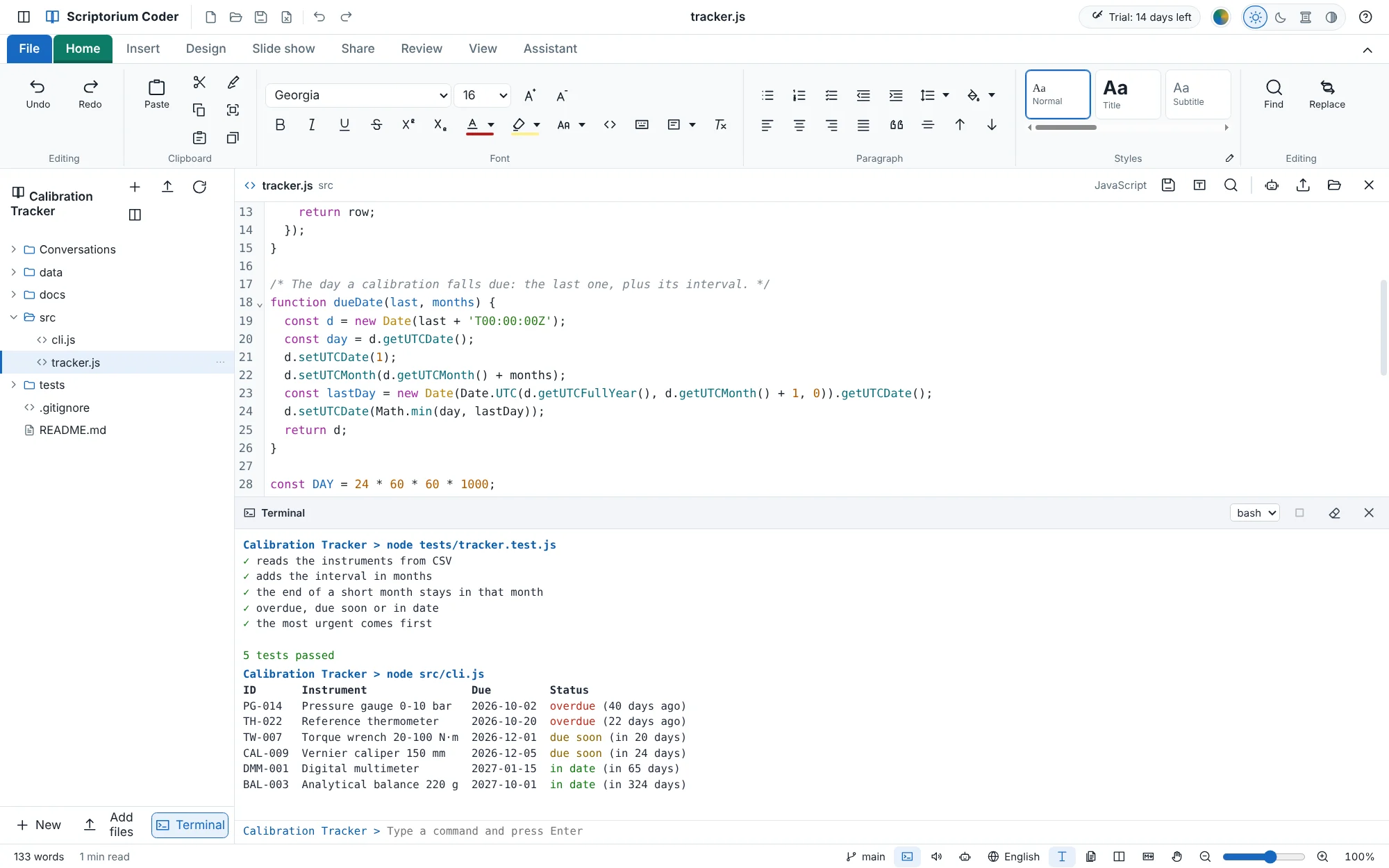
A small app, made in Scriptorium Coder.
The Calibration Tracker reads a laboratory’s instruments from a CSV file and lists them with the most urgent first. In the film, from a new project to its first commit:
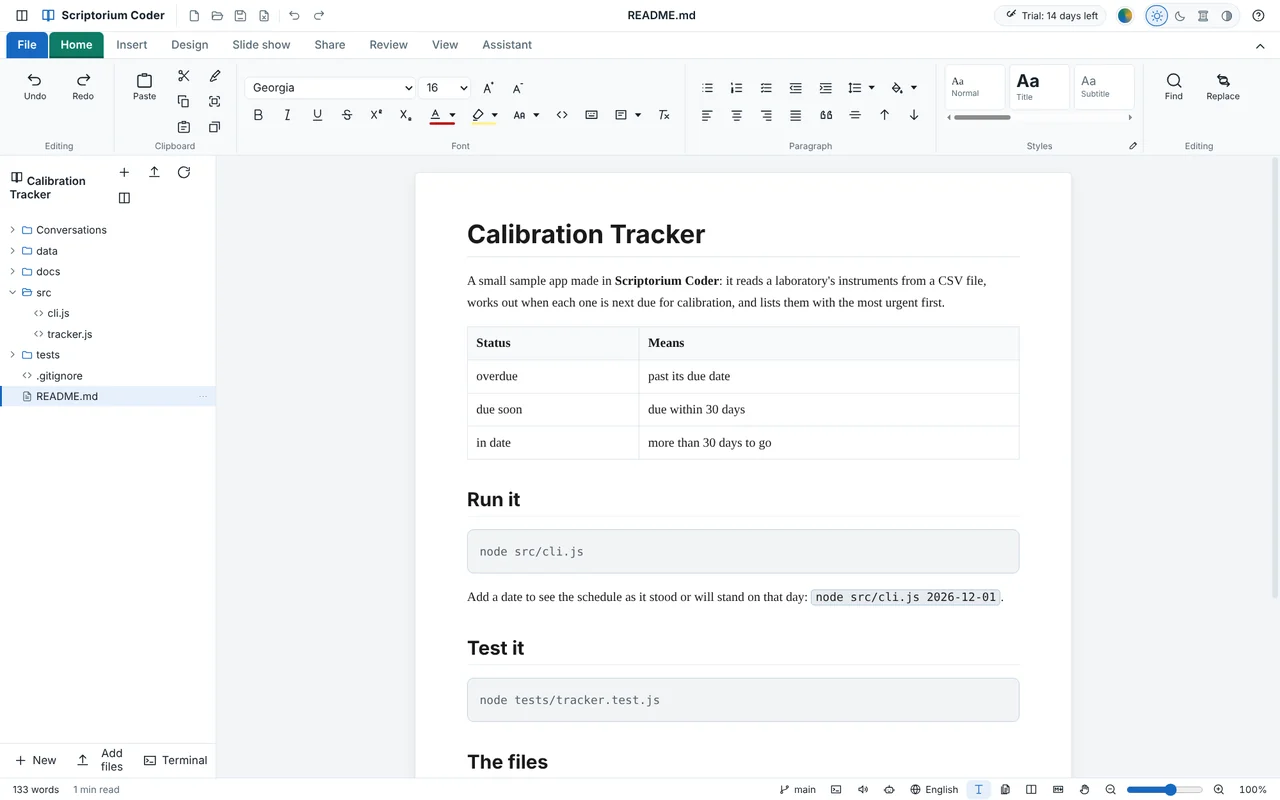
- The project’s README, as a real document
- The function that works out what is overdue, typed in the code view
- Its tests and the app itself, run in the terminal under the page
- The first Git commit
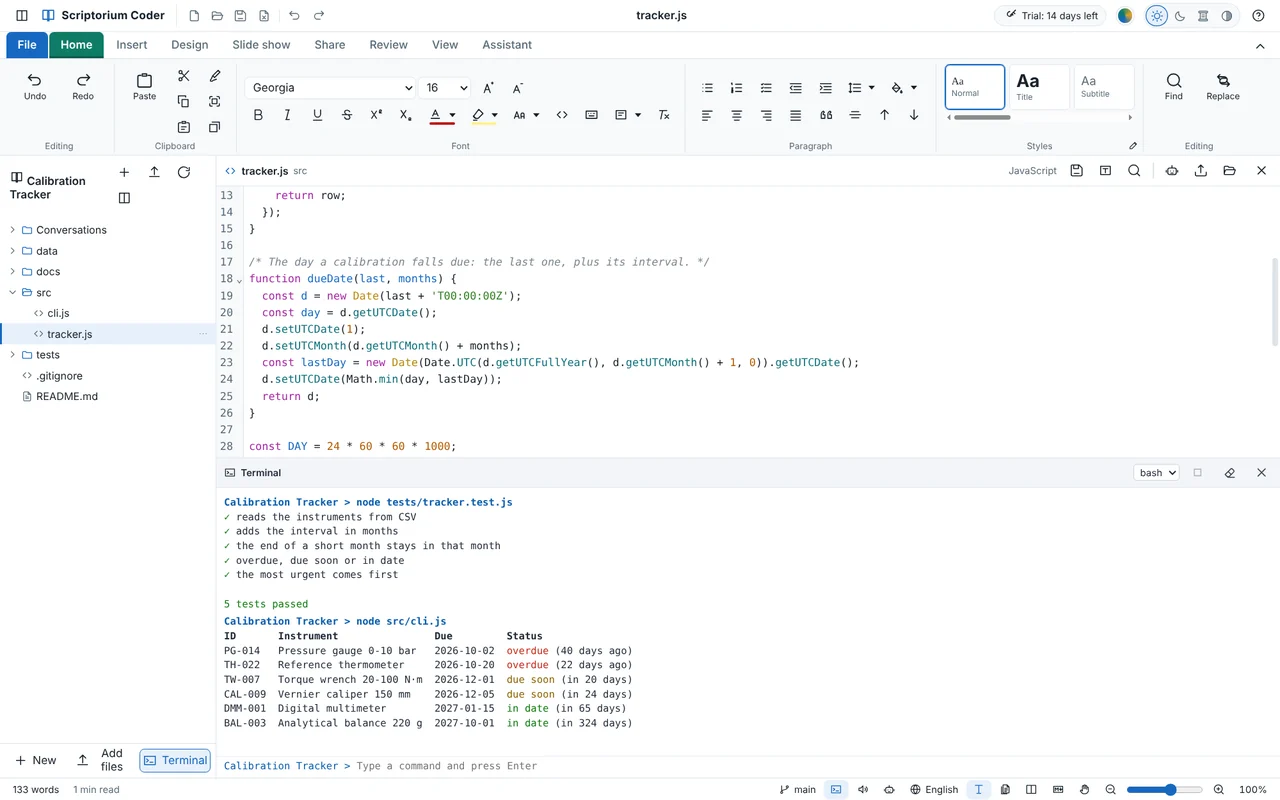
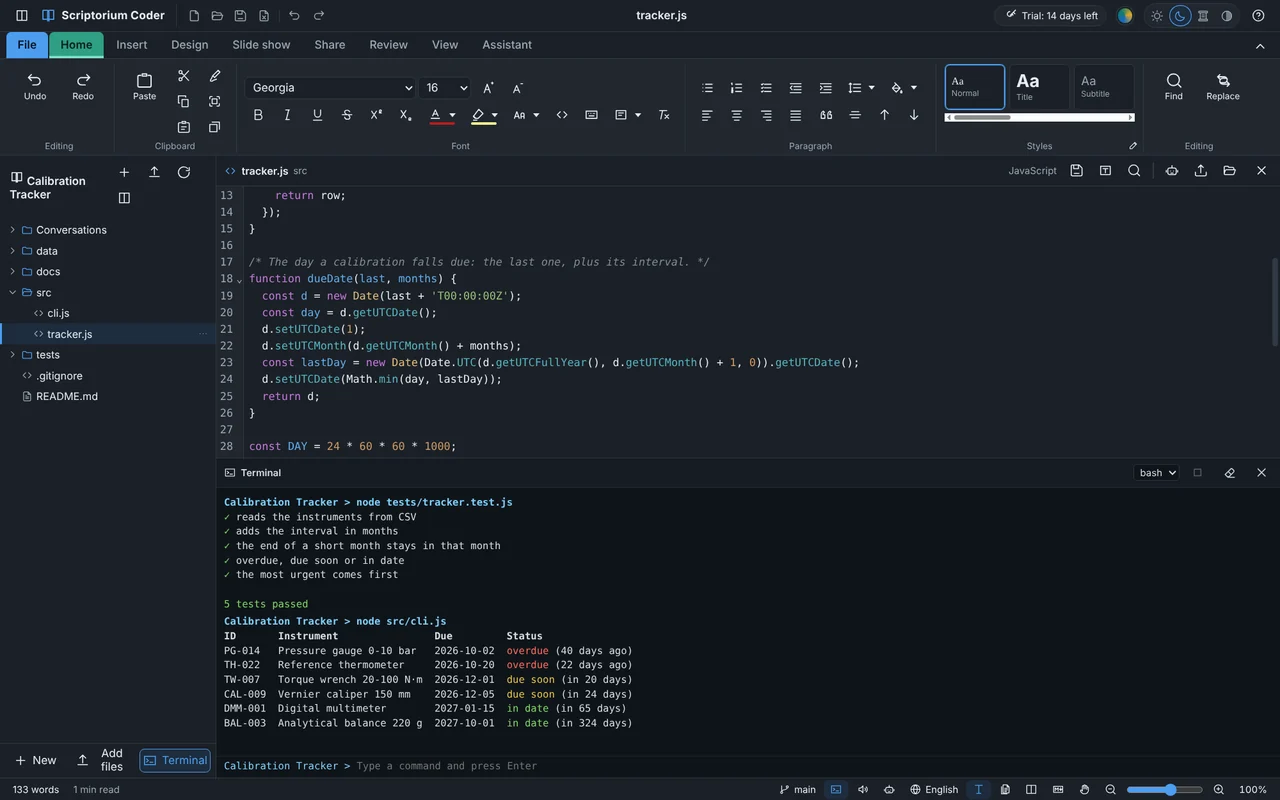
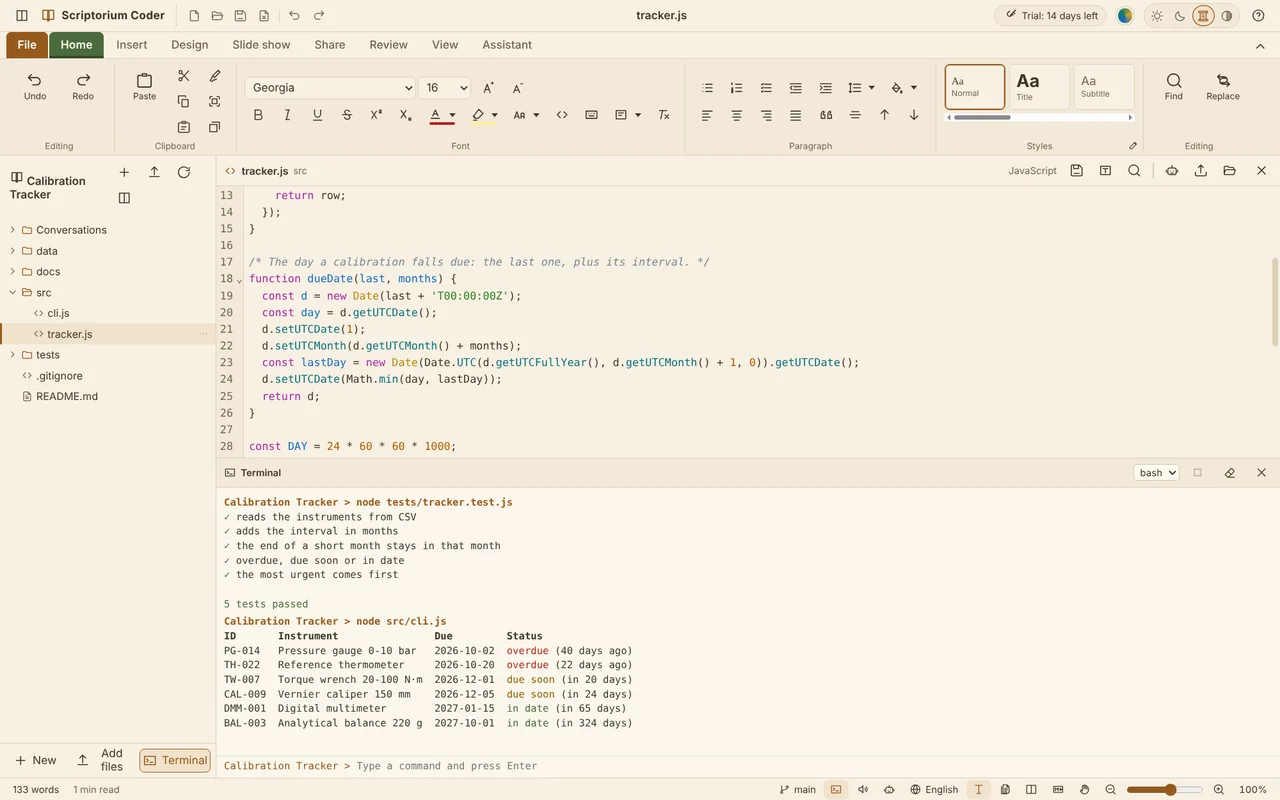
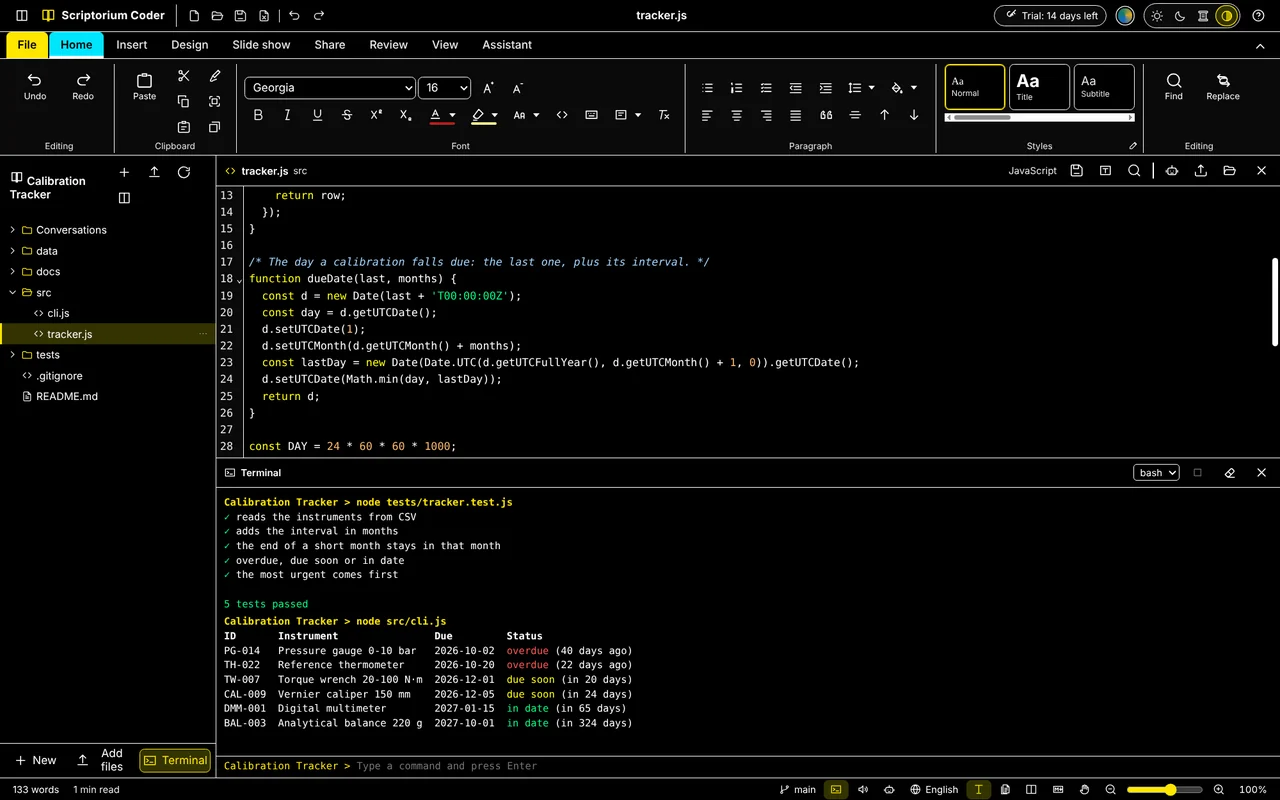
- The terminal in the dark, sepia, high-contrast and light themes
Download the sample project (ZIP, with its Git history; open its .coder file, or the folder, in Scriptorium Coder)
The words and the code, in one window.
Scriptorium Coder is Scriptorium, the word processor that saves plain Markdown, used exactly like Word. On top of it, the tools a piece of work made of many files needs.
Projects that are folders
A project is a folder on your computer: its files in a tree beside the page, new files and folders where you want them, and the project’s settings in one .coder file. Scriptorium’s .quire projects open too.
A code view
Code opens coloured, numbered and folded, with find and replace, in more than forty languages. Pictures, PDFs and Office files open in the file view, so the whole project is one window.
A terminal under the page
Command Prompt, Windows PowerShell or PowerShell 7, in the project’s folder. Run the tests and the app, and the terminal follows the theme, every colour easy to read.
Git, in plain words
Commit, pull and push from the ribbon. History with every file each commit changed and what changed in it, branches, tags, work put aside, and clashes to settle.
An assistant that follows skills
If you want one: it reads and changes the project’s files with you, and follows skills, folders of instructions in the open SKILL.md format, built in, your own or a project’s. Your own AI account, your Claude subscription, or a model on your computer.
Everything Scriptorium does
Pages exactly as they will print, tables with more than 460 of Excel’s functions, charts and graphs, maths, diagrams, project plans, slide shows, and Word, PDF and PowerPoint out and in.
Your README, a real document
Open the README and it is a page, not a page of symbols: headings, tables and code blocks, written with the ribbon you know. Save, and it is plain Markdown that GitHub, GitLab and every editor show as it should be.
- The Markdown one click away, side by side with the page
- Reports in the project whose tables add themselves up
- The project’s talk as a slide show, with charts drawn from its tables
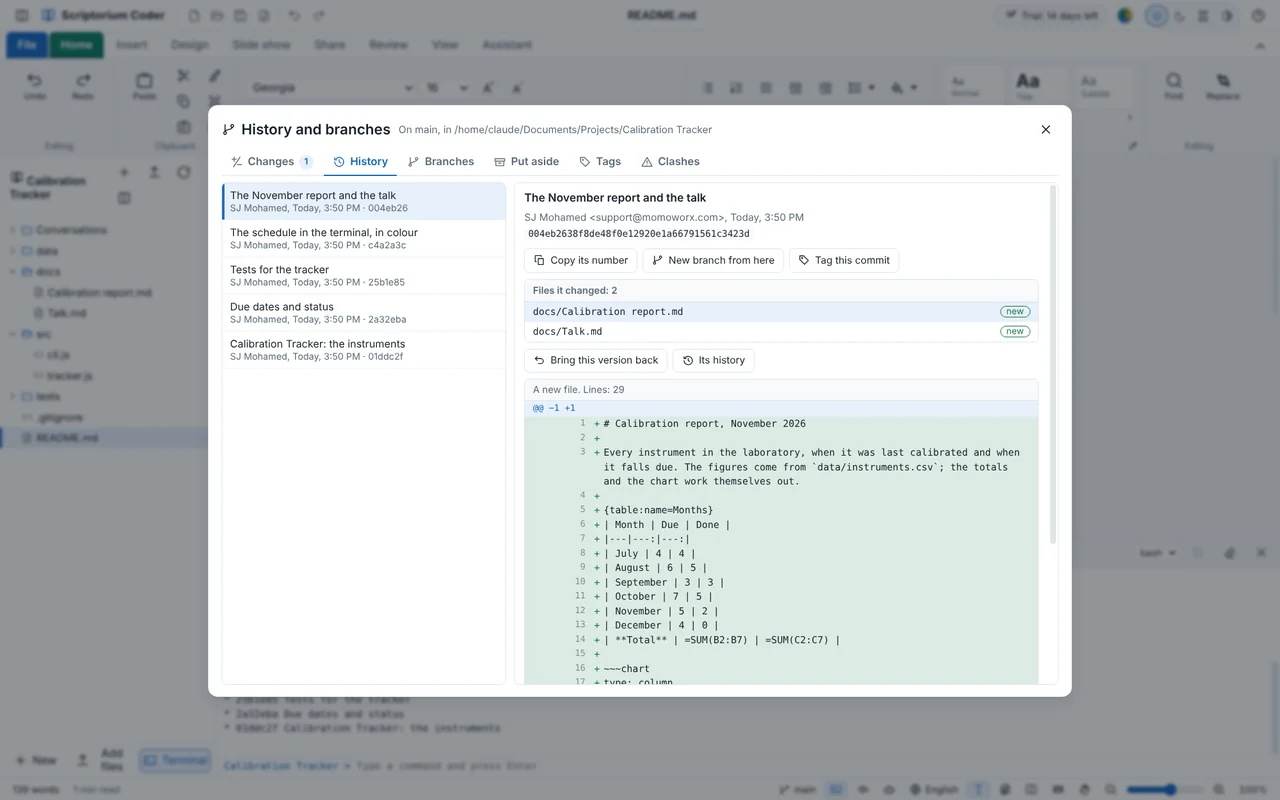
Every commit, and what it changed
History and branches opens on the project’s commits. Choose one to see who made it, the files it changed and every line, then bring a version back, start a branch from it or tag it.
- Changes, history, branches, work put aside, tags and clashes
- Sign in to GitHub or your own server once, with a token kept encrypted on your computer
- The Git already on your computer, or the one that comes with Scriptorium Coder
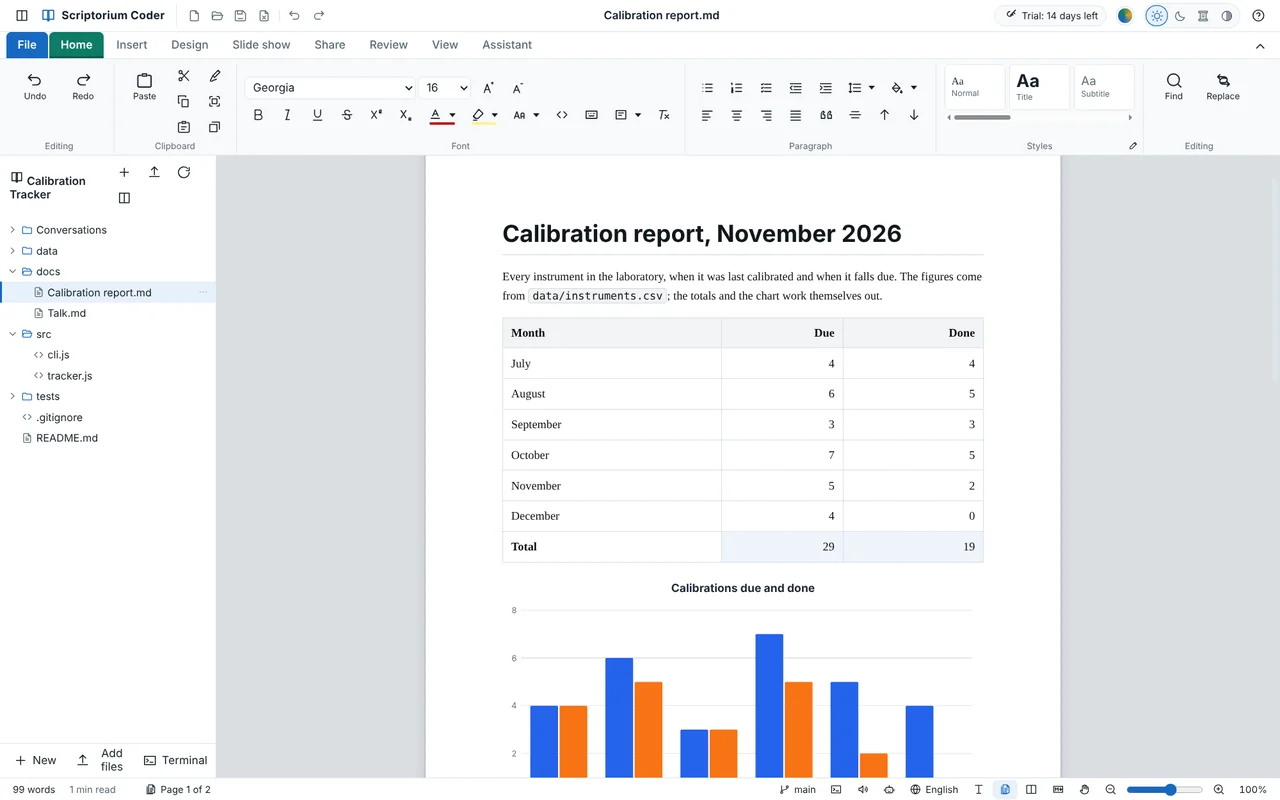
Reports that add themselves up
A report in the project’s docs folder, with a table of figures, its totals worked out by Excel’s formulas and a chart drawn from it. Change a figure and the totals and the chart follow.
- Excel workbooks out and in, with their charts
- Word and PowerPoint files with real charts inside
Four themes, all the way down
The page, the code and the terminal change together, and every colour in the terminal passes the contrast checks in each one.
A year at a time.
Try everything for 14 days first. After that Scriptorium Coder is a yearly subscription, renewed by you: nothing is charged unless you renew it.
For one computer
- Every version released while it is paid, and every feature
- All 60 languages
- Personal or commercial use
- A reminder a month, a week and a day before it ends
- 14 days to renew after it ends; after that it still opens and reads your documents
Card payments are handled by Paystack, in South African rand: USD 430 at the day’s exchange rate, rounded to the rand. From outside South Africa your bank converts it at its own rate. A Scriptorium licence does not open Scriptorium Coder, and a Coder subscription does not open Scriptorium: they are two programs, each with its own licence.
Subscribe or renew
The easiest way is inside Scriptorium Coder: open File ▸ Licence and press Buy a licence (or Renew for a year). It knows which computer it is on.
Or here. A subscription belongs to one computer, so type that computer’s code:
Paying by EFT, or for a team? Email [email protected] with each computer’s code, and we will send one invoice and the licences when it is paid.
After you pay, go back to Scriptorium Coder and press I have paid — fetch my licence on the Licence page.
Download Scriptorium Coder
Everything is switched on for 14 days. No account, no card, no form to fill in. It installs beside Scriptorium and changes nothing of it.
Windows
Windows 10 and 11, 64-bitScriptorium Coder 1.8.1
Windows says “Windows protected your PC”
Windows shows this for programs it has not seen many times before. Choose More info, then Run anyway. If your browser holds the download back, choose Keep.
Installing a new version over an old one
Download the new version and install it over the old one. Your projects, settings and subscription stay as they were.
Questions people ask
How is it different from Scriptorium?
Scriptorium Coder is Scriptorium with projects that are folders, a code view, a file view, a terminal, Git’s history and branches, and an assistant that works on the project’s files and follows skills. Everything Scriptorium does, it does too. It is a program of its own: it installs beside Scriptorium with its own name, icon, settings and licence, and changes nothing of Scriptorium.
Does my Scriptorium licence open it?
No. They are two programs, each with its own licence: a Scriptorium licence opens Scriptorium, and a Scriptorium Coder subscription opens Scriptorium Coder. Books bought for Scriptorium open in both.
What happens when the 14 days are up?
Scriptorium Coder becomes a reader: your documents and projects still open and can be read, for as long as you like. Subscribe, and everything comes back at once.
Does the subscription renew by itself?
No. Nothing is charged unless you renew it. Scriptorium Coder tells you a month, a week and a day before it ends, and you renew from File ▸ Licence ▸ Renew for a year or on this page. After it ends you have 14 days to renew with every feature still on; after that it is a reader until you renew.
Do my files stay mine?
Yes. A project is a folder on your own computer, its documents are ordinary .md files and its code is your code. Nothing is sent to us. The assistant is off unless you set it up, and then it talks only to the service you chose.
Which languages does the code view colour?
More than forty: JavaScript and TypeScript, Python, HTML, CSS and Sass, JSON, YAML, C and C++, C#, Java, Kotlin, Go, Rust, PHP, Ruby, Swift, SQL, PowerShell and shell scripts, Dockerfiles, LaTeX and more. Any other text file opens too, uncoloured.
Is it in the Microsoft Store?
It is on its way there. Until then, download it here: it is the same program.
Try it on your own project.
Fourteen days, everything switched on, nothing to sign up for.