
Guides from Momo Designs
How to get more out of Scriptorium, and calibration and metrology explained for ISO/IEC 17025 laboratories. Written in plain words by the people who make the software.

Writing with Scriptorium
Guides to the word processor built on Markdown: pasting from AI, Word and PDF, books and exam papers, sixty languages, reading aloud, song sheets and wall charts.
 Tables
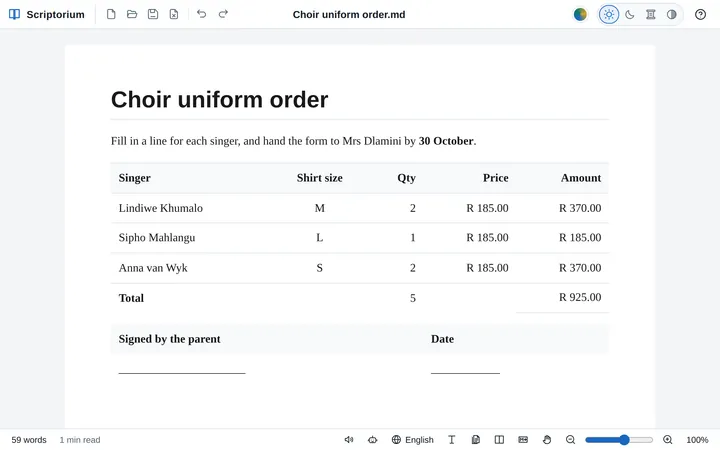
Markdown tables without borders, or with only the lines you want
Leave out a table’s outside lines, its inside lines or all of them, or one cell’s, for order forms, signature blocks and layouts. Faint while you type, gone on paper.
 Algebra
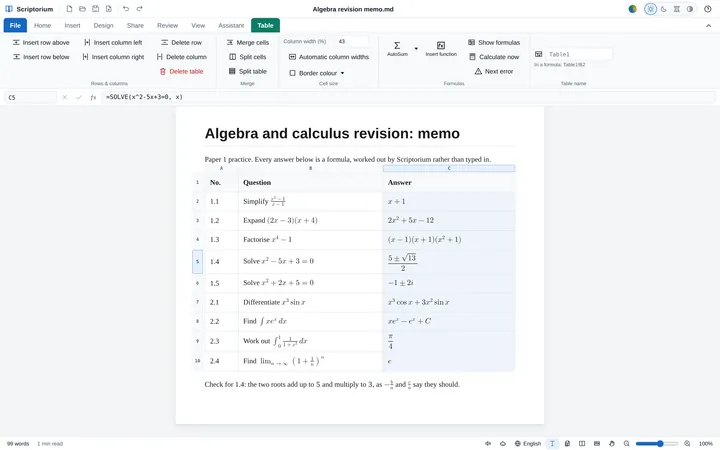
Algebra with letters: simplify, factor and solve in your document
Simplify, expand, factor, solve exactly, differentiate and integrate with letters, in a table cell or a sentence, with every answer set as maths and checked before it is shown.
 Formulas
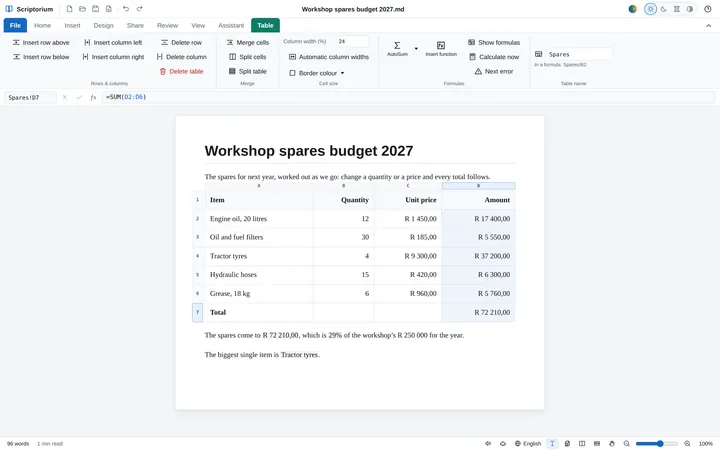
Excel formulas in a Markdown document
Type a formula into a table cell, as in Excel, and the document does its own sums: a formula bar, AutoSum, calculations in sentences, and maths Excel cannot do.
 Templates
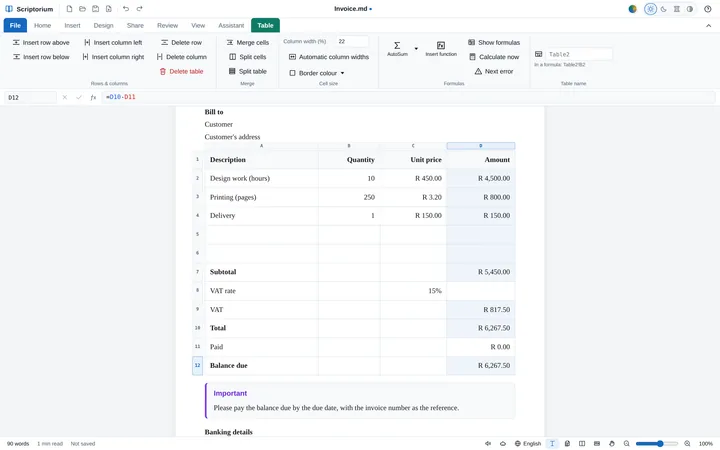
Invoices and quotations that add themselves up
Every line, the subtotal, the VAT, the total, the due date and the balance due, worked out as you type over the samples. And sixteen more templates that calculate.
 Pages and printing
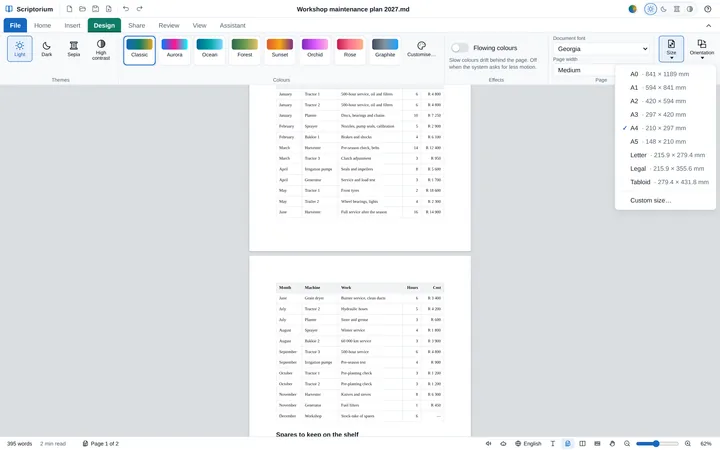
See your document as it will print, page by page
View ▸ Pages lays your writing out on sheets of the paper you chose, ending exactly where the printed pages end, with Size, Orientation and Margins on the Design tab.
 Newspapers
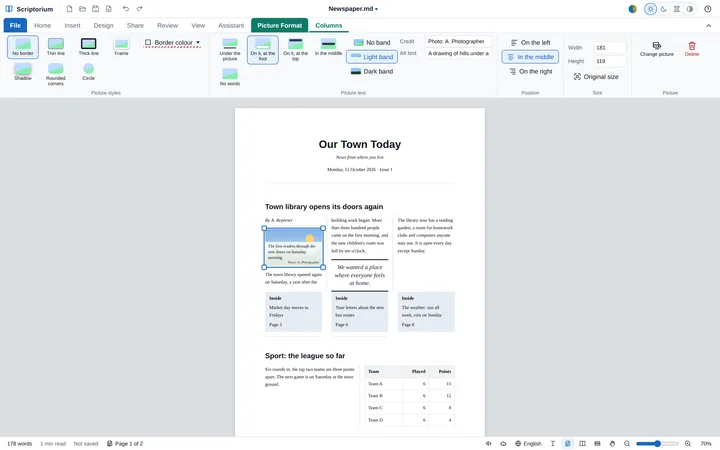
Make a newspaper or a newsletter, with words on the pictures
Stories in columns under a headline across them, tables and pictures that stay in their column, captions printed on the photos, and a Newspaper template to start from.
 Zoom
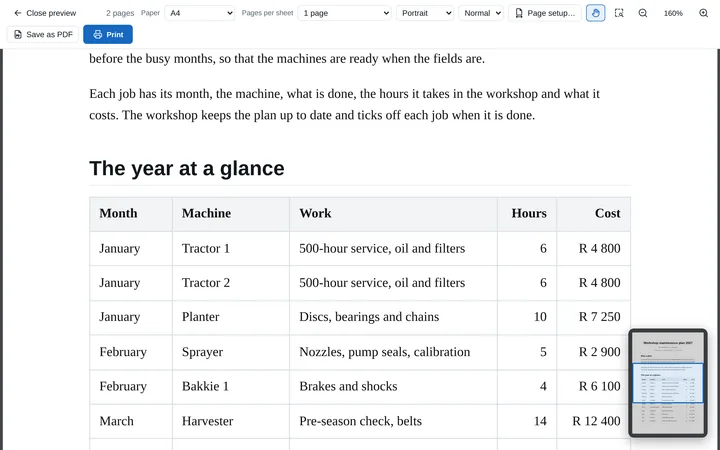
ZoomZoom and pan like a drawing program
Ctrl and the wheel zoom about the pointer, the wheel button slides the page, and the print preview has a hand and a Navigator, as in CAD and PDF programs.
 Working with AI
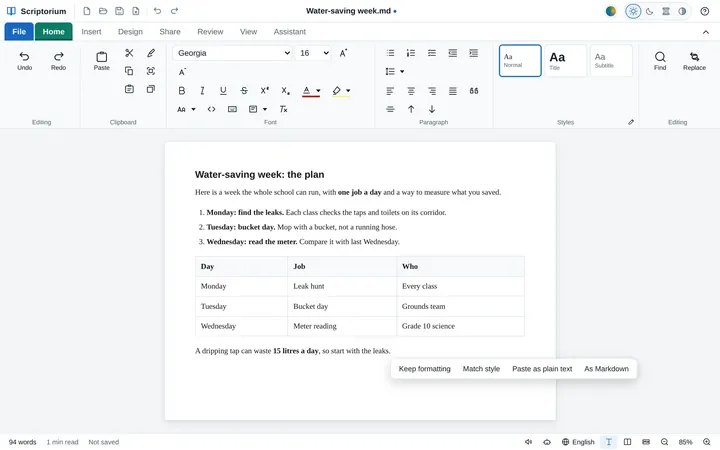
How to paste an AI answer into a proper document
Copy an answer from ChatGPT, Copilot, Claude or Gemini, press Ctrl+V, and get a document: headings, lists, tables, code and formulas, without the chat window’s clutter.
 Markdown
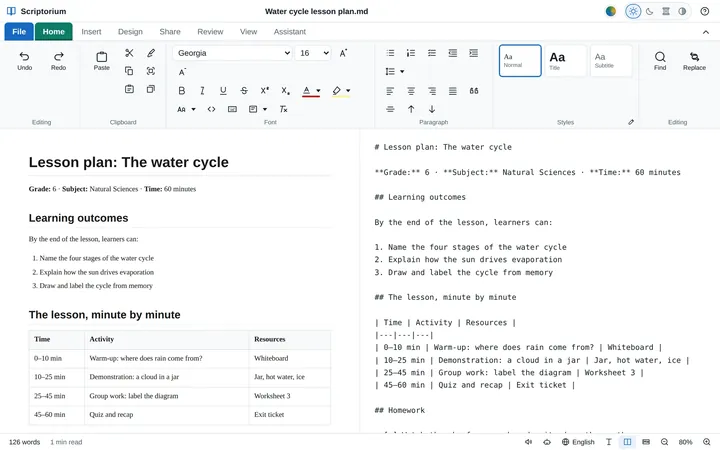
What is Markdown? A plain-words guide for people who never want to type it
The plain text behind AI answers, README files and many notes apps: what the marks mean, why it matters, and how to use it without learning any of them.
 Word and PDF
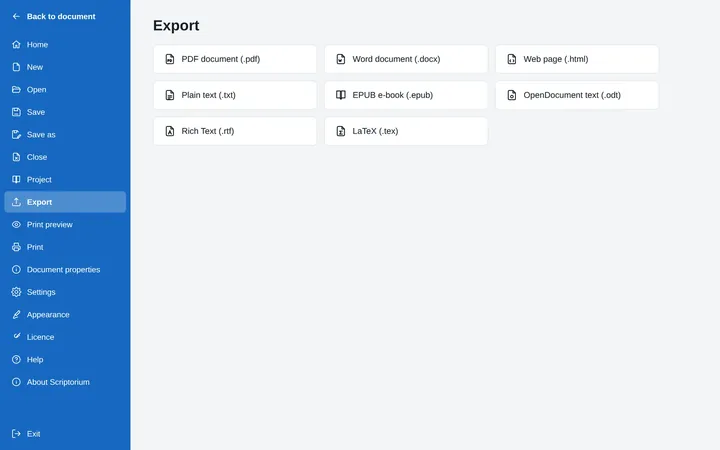
From Markdown to Word, and back again
Scriptorium opens Word documents and makes them, along with PDFs, e-books and five other formats. What comes across each way, and what to know before you send.
 Books
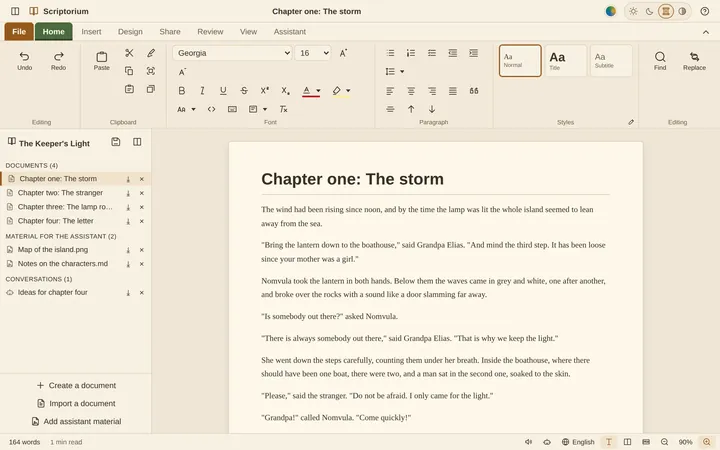
BooksWrite a book in Markdown, one chapter at a time
Keep the chapters, your notes and your talks with the assistant in one project file, then put the whole book together to read through, print or turn into an e-book.
 Teachers
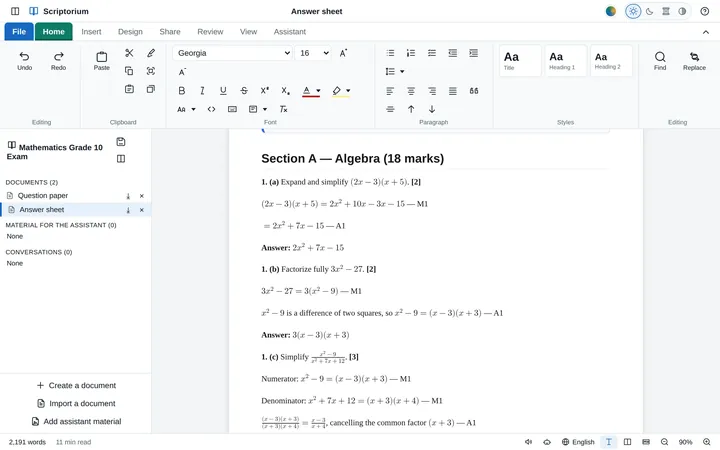
How to set an exam paper and its memo in one project
A question paper and its memo in one project, with the maths typeset properly and both printed the way the school wants them. A Grade 10 mathematics paper, step by step.
 Languages
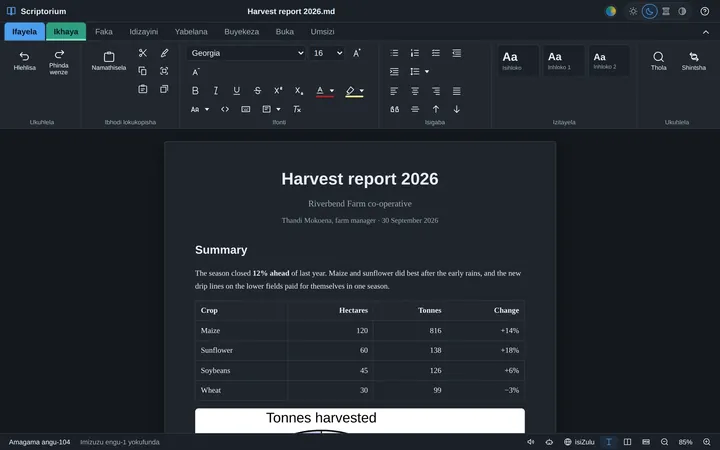
A word processor in isiZulu, Afrikaans, Sesotho and 57 more languages
Sixty languages, including all eleven written official languages of South Africa: what is translated, how to switch, and how spelling and local words fit in.
 The assistant
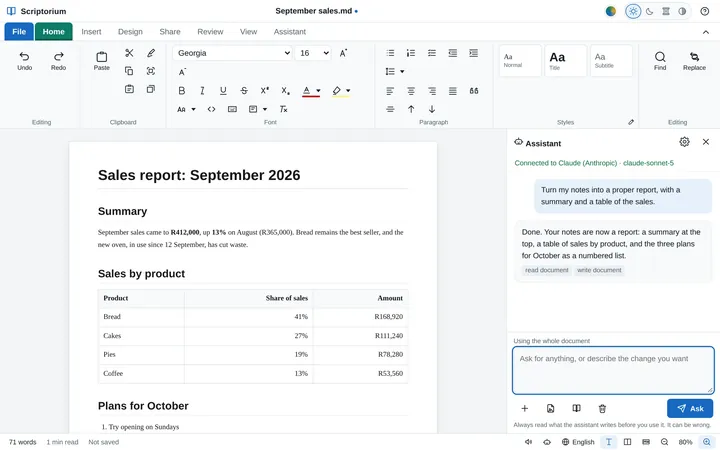
An AI assistant that works in your document, not beside it
It reads your document, writes into it and shows what it did. Use Claude, ChatGPT, Gemini and others, your Claude subscription, or a model on your own computer.
 Read aloud
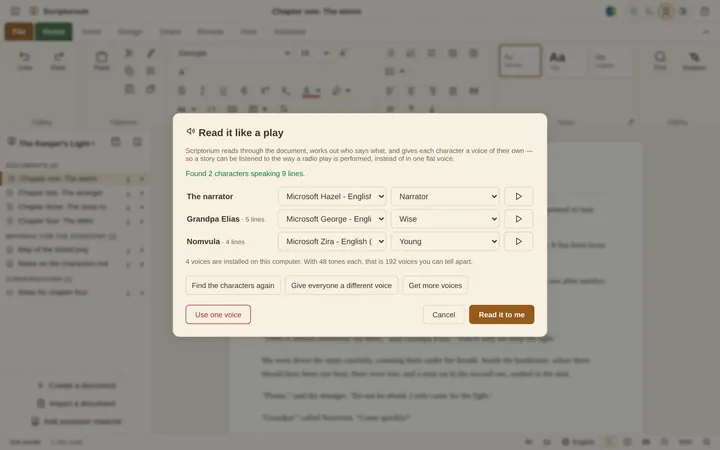
Hear your writing: read aloud for proofreading, and a cast of voices for stories
Your ear catches what your eye skips. Read aloud with the sentence highlighted, better voices to download, and a different voice for every character in a story.
 Music
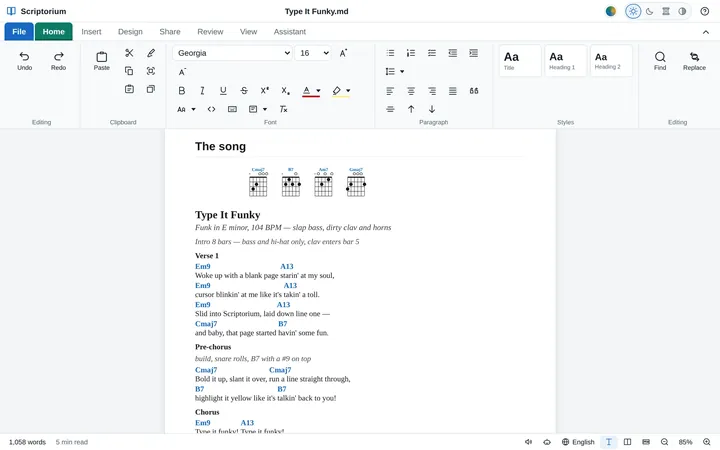
MusicMake a song sheet with chords that play
Type the words with the chords in square brackets and get a proper song sheet with chord boxes, chords that play back, and staff notation that sings.
 Printing
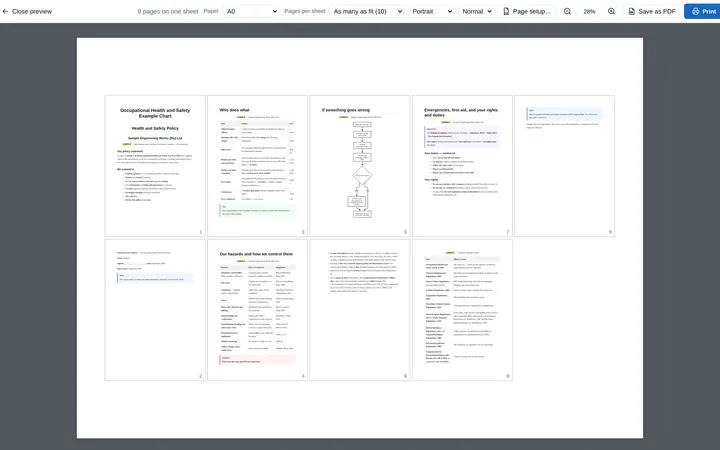
Print a wall chart or poster from a document, up to A0
Write the chart as a few short pages, then print them together on one big sheet: a health and safety board, a classroom poster or a plan for the wall.

Calibration and metrology
Plain-language guides for ISO/IEC 17025 laboratories, from the team that builds Cali, calibration management software.
From Request to Signed Certificate: The ISO/IEC 17025 Calibration Workflow
Every step of a calibration in order: the quotation, the standards and their traceability, the approved method, the conditions, as-found and as-left readings, the uncertainty budget, the signed certificate, intermediate checks and the internal audit, with the ISO/IEC 17025 clause behind each one.
ComplianceDecision Rules: Turning Uncertainty Into Pass or Fail
A measured result carries uncertainty, so every PASS/FAIL is a judgement about it. Simple acceptance vs guard bands, the probability of false acceptance, and stating conformity honestly under ISO/IEC 17025 §7.8.6, ILAC-G8 and JCGM 106.
QualityIntermediate Checks: Proving Equipment Stays In Tolerance Between Calibrations
A calibration is a snapshot. How ISO/IEC 17025 §6.4.10 intermediate checks and Shewhart control charts — check standard, ±2σ / ±3σ limits, run rules — prove an instrument held its value until the next calibration.
QualityProficiency Testing: Reading En and z Scores
Prove your results from the outside. How interlaboratory comparisons score you against the assigned value - the z-score, and the En number that tests whether your uncertainty claim is honest (ISO 13528 / 17043).
QualityNC & CAPA in Calibration: Turning Problems Into Proof
Nonconformance and corrective action for calibration labs — detection, impact assessment and certificate recall, correction vs corrective action, root cause, and ISO/IEC 17025 §7.10 & §8.7.
FundamentalsCorrected Values: What ‘Condition-Corrected’ Calibration Results Really Mean
Raw readings aren’t the true value. How temperature, expansion and air buoyancy change a measurement — and why the pass/fail verdict must use the corrected result.
FundamentalsMeasurement Uncertainty (GUM), Explained for Calibration Labs
Type A vs Type B components, combined and expanded uncertainty, and the coverage factor k — the GUM uncertainty budget made practical.
FundamentalsWhy Ambient Conditions Change Your Calibration Results
Temperature, humidity and air pressure quietly change every measurement — and why 20 °C is the reference you correct back to.
FundamentalsMetrological Traceability — and Why ISO/IEC 17025 Demands It
The unbroken chain of calibrations linking your result to the SI: reference standards, CMC, accumulated uncertainty and where chains break.
QualityMSA & Gage R&R: Can You Trust Your Measurement System?
Repeatability vs reproducibility, %GRR, number of distinct categories and acceptance limits — measurement systems analysis made practical.
Buyer's guideChoosing Calibration Software: A Practical Buyer’s Checklist
A vendor-neutral checklist — metrology depth, pricing models, data ownership, offline vs cloud and audit readiness — plus the traps to avoid.
ComplianceISO/IEC 17025: What the Standard Expects of Your Records
A plain-language tour of the records auditors look for: traceability, uncertainty, equipment control, data integrity, reporting and CAPA.
OperationsCalibration Intervals & Drift: Fixed Schedules vs Predictive
Fixed manufacturer schedules vs risk-based and drift-driven predictive intervals — how to recalibrate on evidence, not guesswork.
OperationsKeeping Calibration Data Safe: Offline-First + Encrypted Sync
Offline-first operation, the 3-2-1 backup rule, encrypted multi-user sync, access control and a tamper-evident audit trail.