
 Scriptorium
 Scriptorium 3.42 · for Windows, Linux and Android tablets
The word processor
that speaks Markdown.
ChatGPT, Claude and Gemini write in Markdown. Scriptorium turns it into a proper document, and lets you write it with the ribbon you already know, without a single symbol to learn. Books, exam papers, song sheets and reports, read aloud if you like, in 60 languages and on your own computer.
14 days free with everything switched on, no account and no card. After that it stays a free Markdown reader, for as long as you like.

It starts like Word. Only better.
Scriptorium now opens on a Home page with the documents you were working on, keeps the look of every document on one page of settings, and leaves the clutter behind when you paste from an AI assistant.
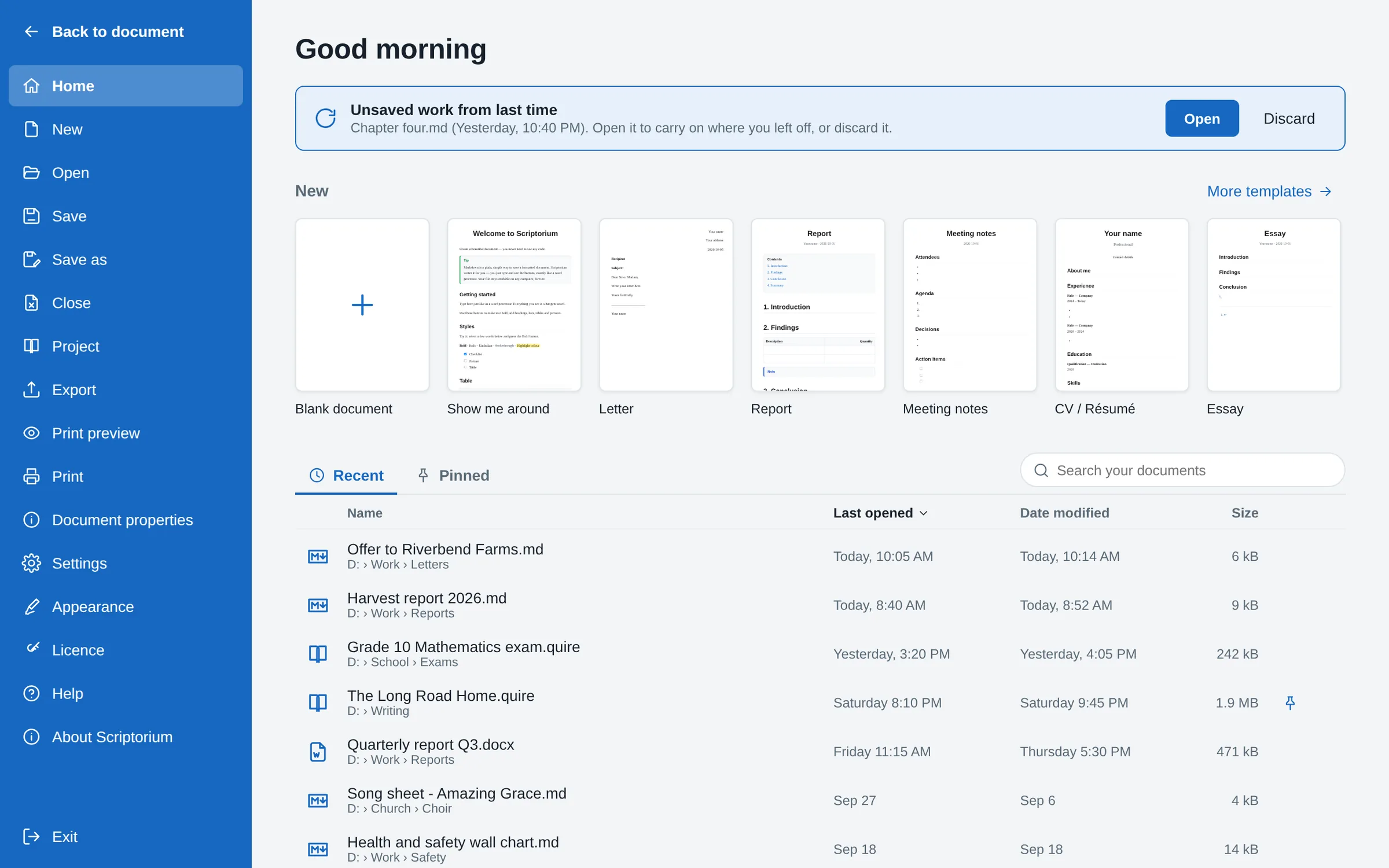
Your documents, the moment it opens
Start a blank document or a template, each drawn as a small page, or carry on with one of the documents you opened lately, the last one at the top. Scriptorium no longer opens your last file by itself: it offers it, with everything else you were working on.
- When you last opened each document, when it was changed, its size and its folder
- Pin the ones you use most, search by name or folder, and sort by any column
- Right-click to open a document, show it in its folder, copy its path or take it off the list
- Work you did not save is offered back, never opened behind your back
- New, Open, Save, Close, Undo and Redo beside the name at the top; Close leaves Scriptorium open on a blank page
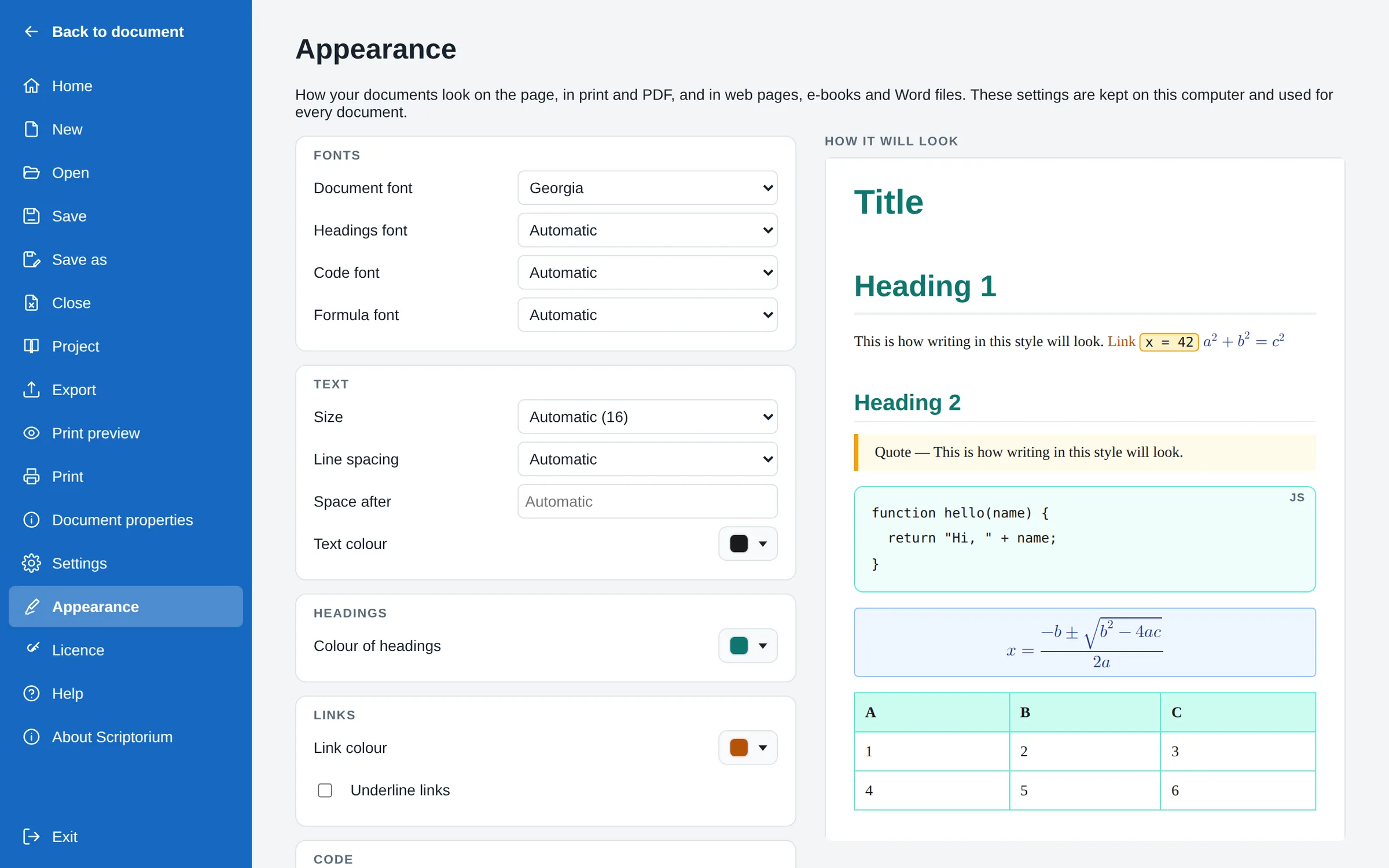
How every document looks, on one page
Choose the fonts, the size and spacing of the text, and the colours of headings, links, code, formulas, quotations and tables, and watch a sample page change as you go. Every document on the computer follows: on the page, on paper, and in PDFs, web pages, e-books and Word files.
- Fills and borders for code, quotations and formulas; line colours and a heading-row fill for tables
- Words on a fill stay readable: dark on pale, light on dark
- The same settings as each style’s Modify window, so the two never disagree
Clean pastes from AI
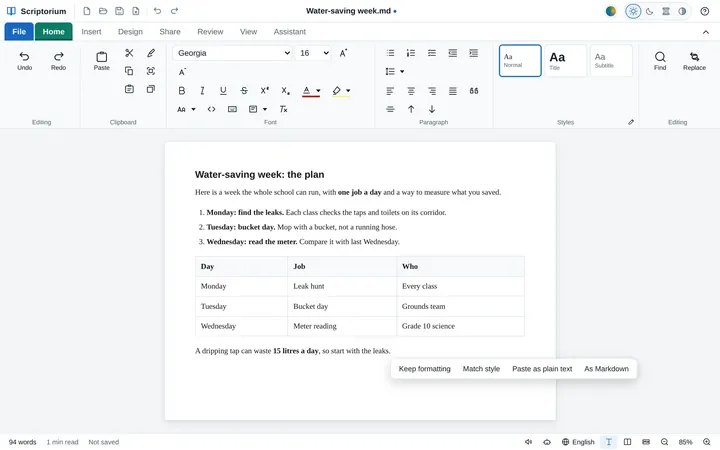
Paste an answer from ChatGPT, Copilot, Claude or Gemini: the chat window’s buttons, icons and source marks stay behind, and code, tables and formulas arrive as they were meant.
Formulas where you want them
A formula on a line of its own can sit on the left, in the middle or on the right, and be indented like a paragraph. Printouts and PDFs keep it there.
Split table
Cut a table in two above any row, as in Word. On paper and in PDFs, a table longer than a page starts where it stands and runs on, its heading row at the top of every page.
Code you can see
Code in a sentence has a thin frame as well as its shading, so it stands out on a white page, and its colours can be your own.
AI writes in Markdown. Scriptorium makes it a document.
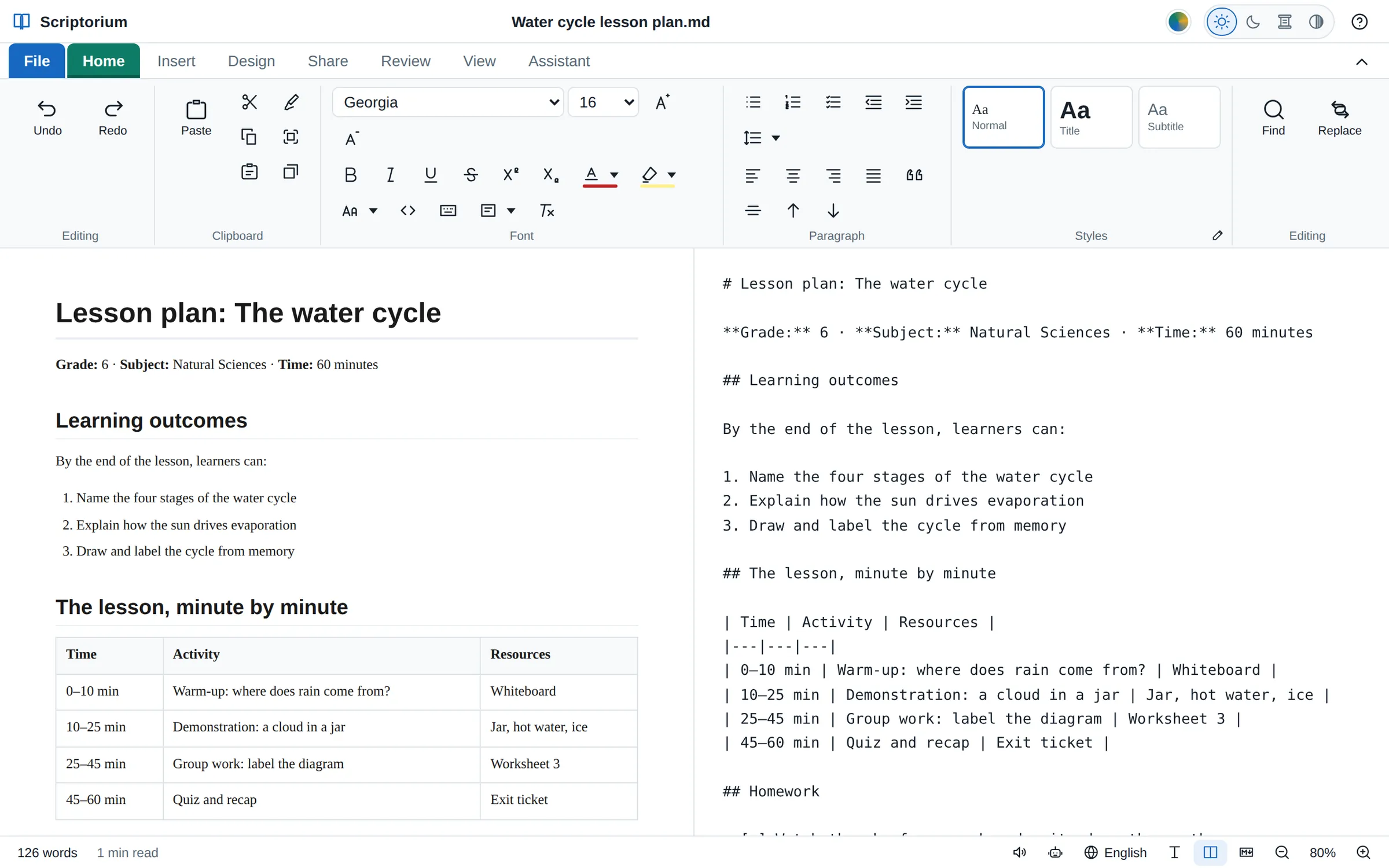
Ask ChatGPT, Claude, Gemini or Copilot for a report, a lesson plan or a chapter, and the answer comes back in Markdown, full of #, ** and | signs. Paste it into most programs and the signs are what you get. Paste it into Scriptorium, or open the .md file the AI made, and you get the document: headings, lists, tables and code, laid out and ready to change, print or send.
Write Markdown without knowing Markdown
Type, and press buttons for bold, headings, lists and tables, the way you would in Word. Scriptorium writes the Markdown for you in the background, so your work is saved as plain text that any computer, phone or tablet can open, today and in fifty years.
- An AI’s answer pastes in as a document, not as a page of symbols, and without the chat window’s buttons and icons
- Opens .md files directly and saves them as .md, with no importing or exporting
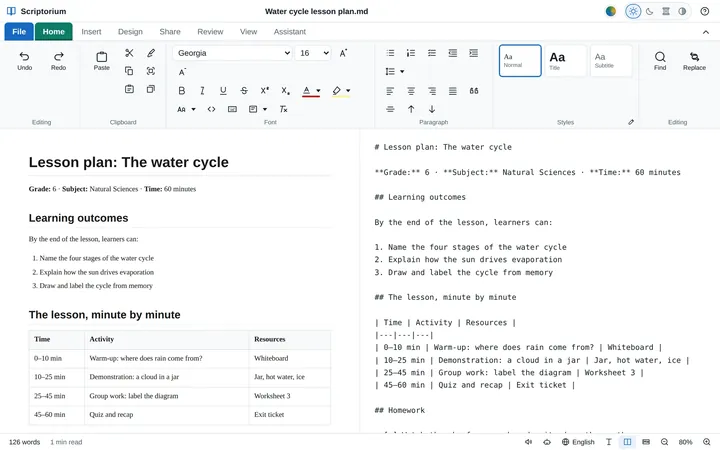
- See the code whenever you like: side by side with the page, or on its own
- Copy a document out as Markdown, to hand back to an AI
An assistant that writes into the page
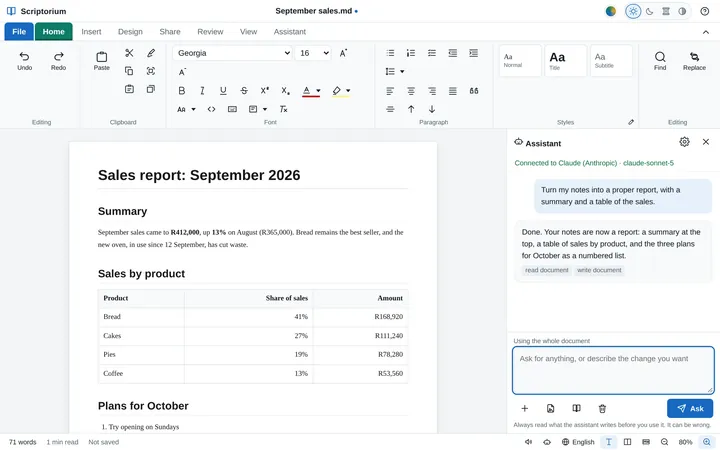
Connect the AI you already use and ask in plain words: turn these notes into a report, write a letter to the landlord, translate it into Afrikaans, add a summary at the top. The assistant does not hand back text for you to paste. It works on the document itself, so the headings, tables and lists are laid out by the time it answers.
- Your Claude subscription through Claude Code: no API key and no second bill
- Your own key for Claude, OpenAI, Gemini, Mistral, Groq or OpenRouter, at a fraction of a cent a request
- Free and private with Ollama, on your own computer
- Or copy the document to any chatbot and paste its answer back
- One click to improve, correct, shorten, simplify or summarise
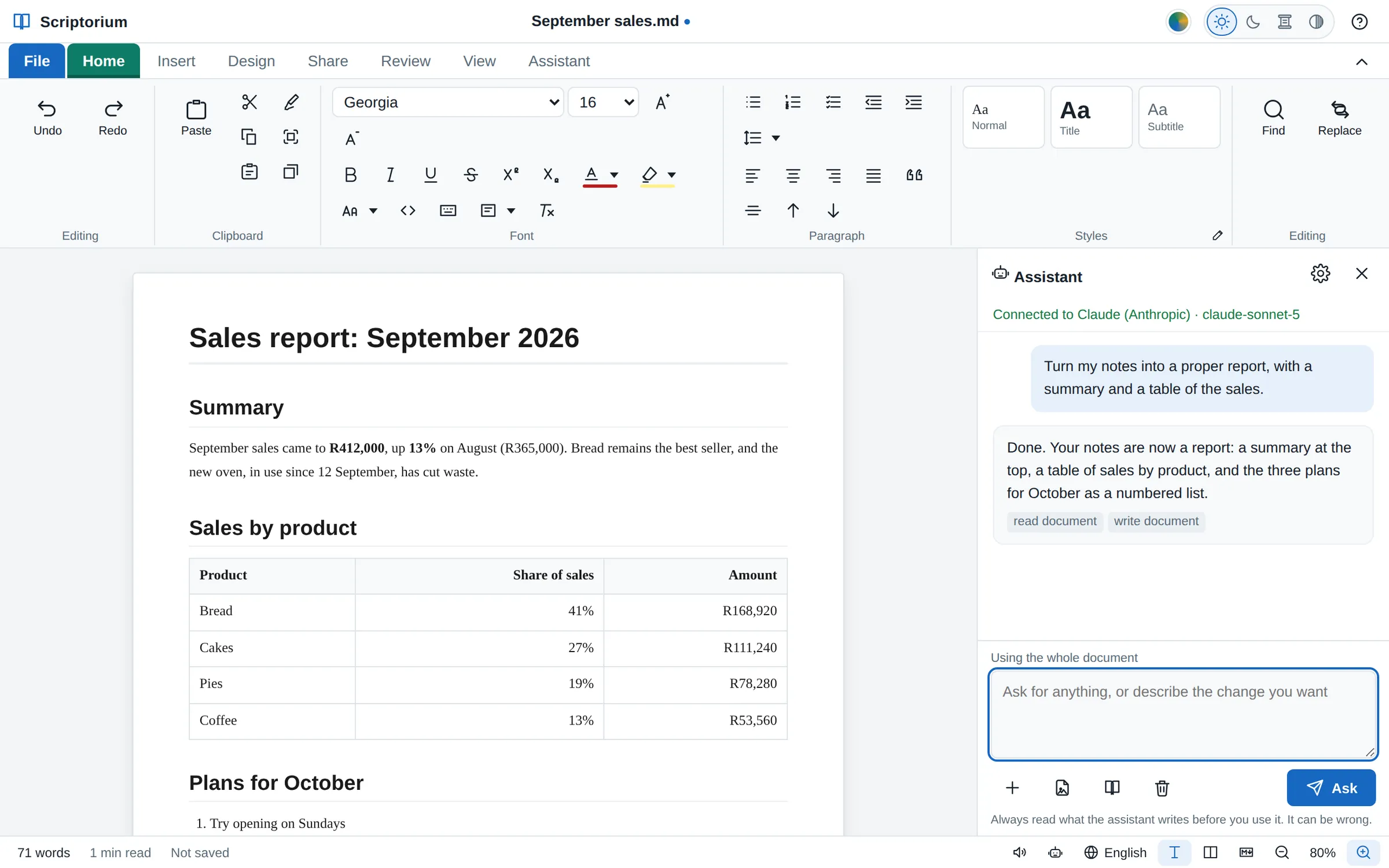
Write a book. Read one. Hear it.
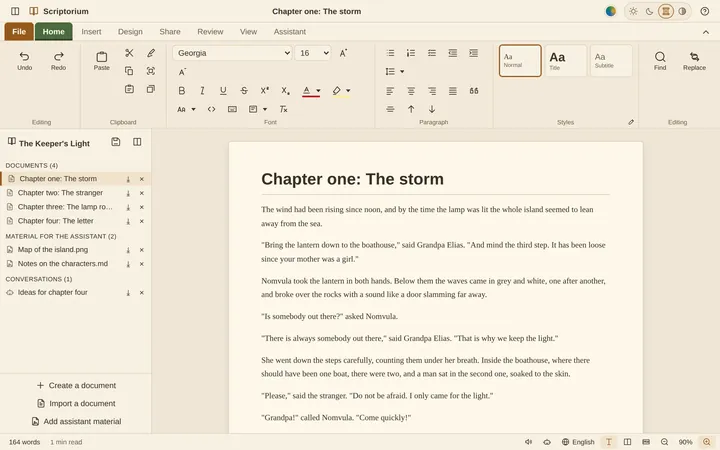
Start a new book and Scriptorium makes it a project: chapter one is ready to write in, and every chapter after it, your notes and pictures, and your conversations with the assistant stay together in one file. Jump between chapters, keep an eye on the word count, and save the finished book as an EPUB e-book, a PDF or a Word file for the publisher.
- A whole book in one file you can copy to a memory stick
- Reading view and focus mode, with sepia or dark pages for long evenings
- A navigation pane to jump to any heading
- Word count, reading time and readability as you go
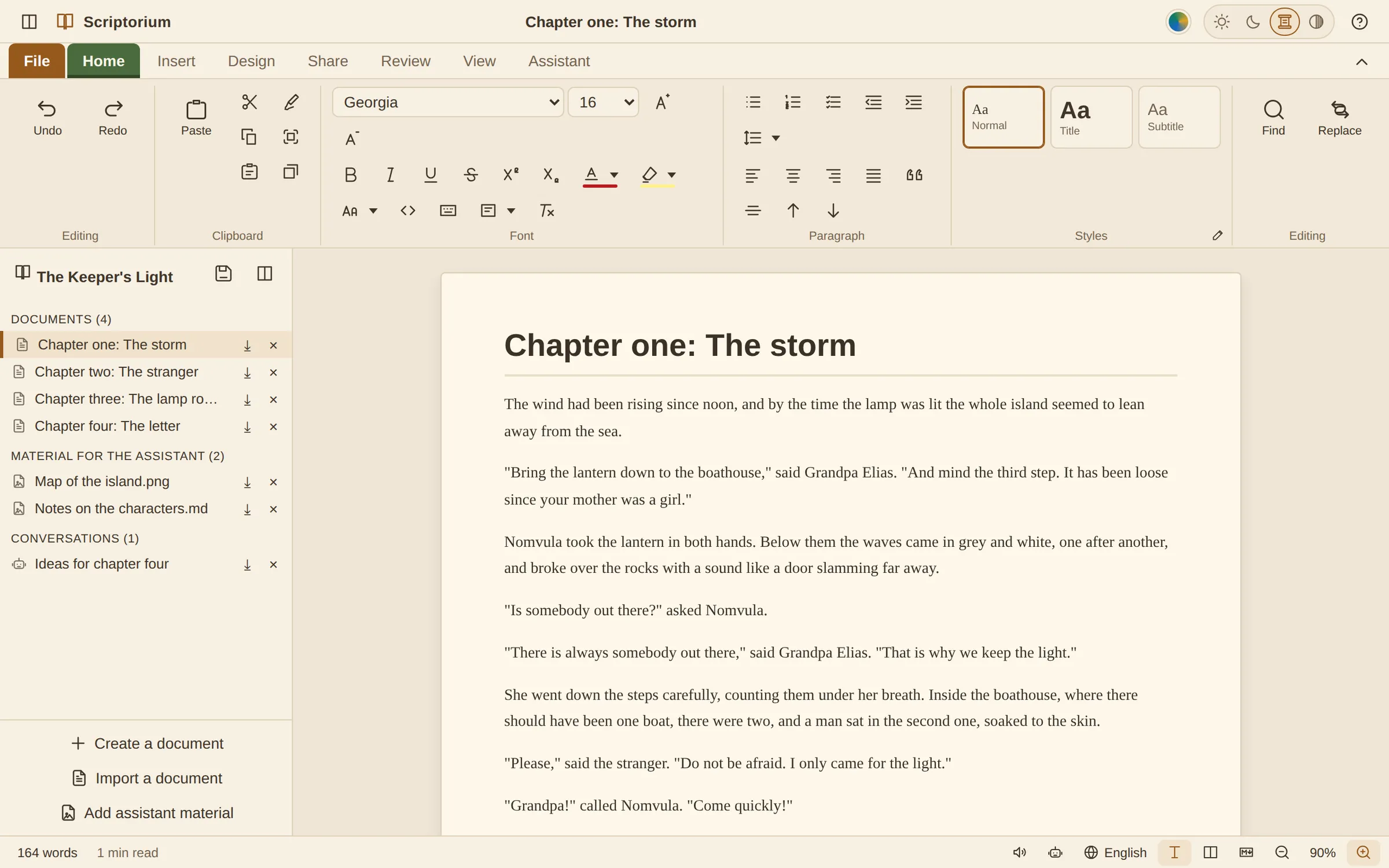
Hear it read like a radio play
Scriptorium reads any document aloud, sentence by sentence, highlighting as it goes. For a story, press Cast: it works out who is speaking and gives every character a voice and a manner of their own, so a novel is performed rather than recited. Put rain on the roof, a fireside or the sea underneath it, and listen.
- 48 tones, from warm and shy to sinister and robotic, for every voice on your computer
- Free, natural voices in more than 30 languages to download on a computer, which then work offline
- Sixteen background sounds, made as they play rather than recorded
- All on your own device: nothing uploaded, no account
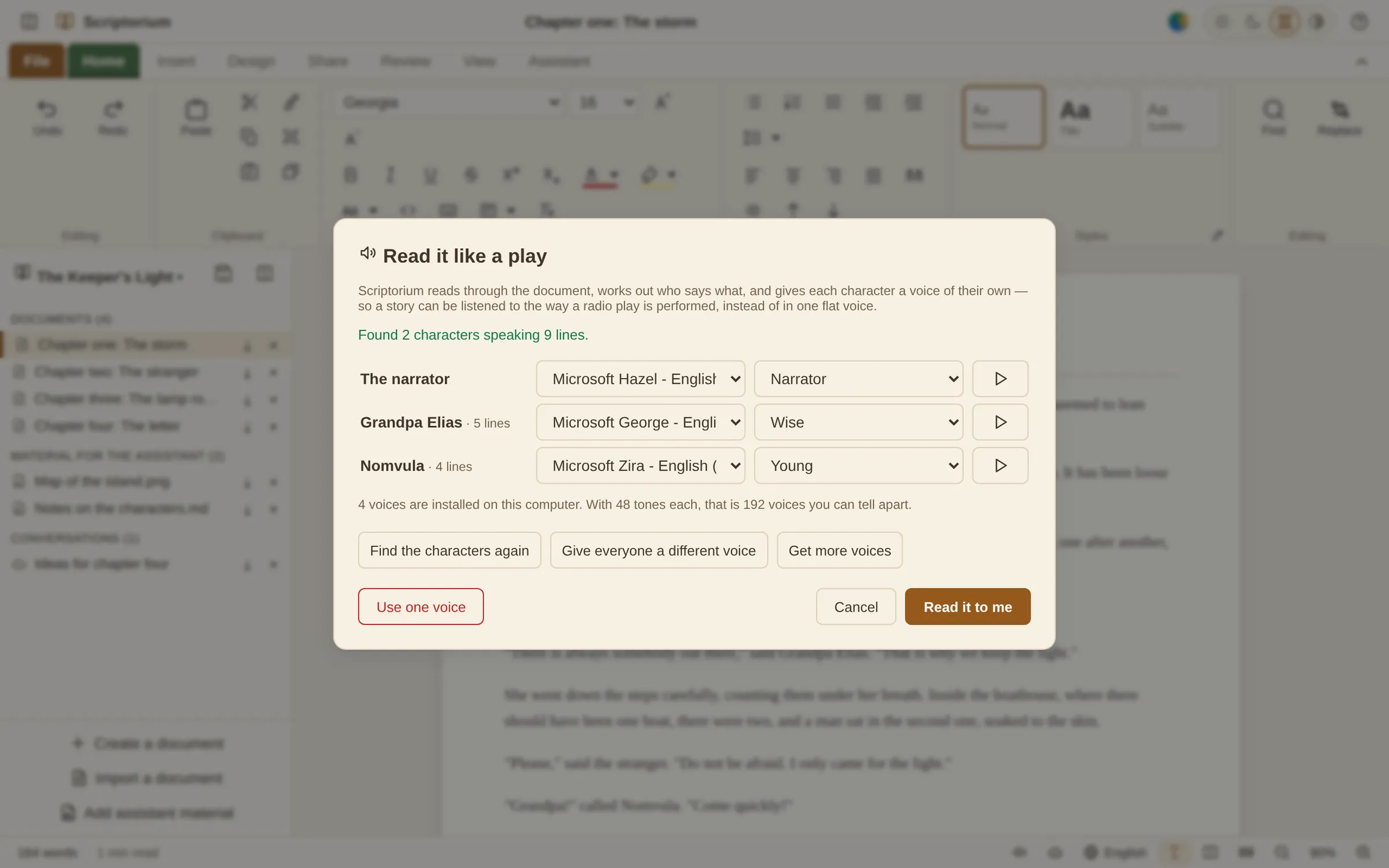
Many documents, one file.
When one document stops being enough, a project keeps everything that belongs together in a single .quire file: as many documents as you need, the material you are working from, and your conversations with the assistant. Any piece can still be saved on its own as a .md file, a PDF or a Word file.
A book
Chapter one ready to write in, room for every chapter after it, and your research and notes beside them.
An exam paper
The question paper and its memo side by side, so the answers always travel with the questions.
Anything else
A report with its background reading, a course with its handouts, a manual in parts: start empty and add what you need.
Projects open in the free reader too, so a project you send can be read by anybody with Scriptorium, licence or not.
Everything you expect from a word processor. Then a little more.
Styles, tables, pictures, spelling, find and replace, printing: it is all there, on a ribbon that works the way you think it does. Then Scriptorium goes further, for the work people actually do.
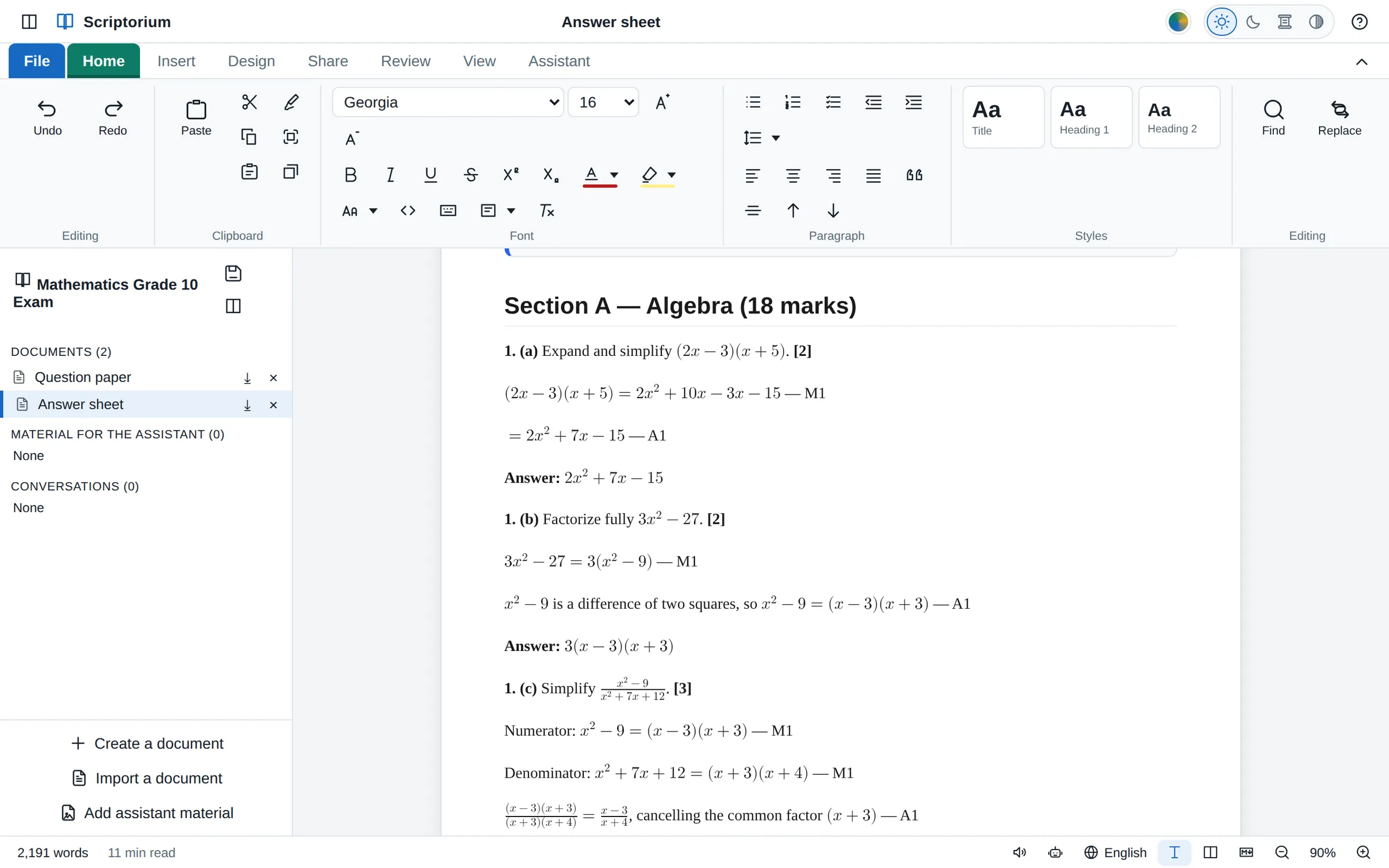
The question paper and its memo, together
Start a new exam paper and Scriptorium makes a project with two parts: the question paper and its answer sheet. They live side by side in one file, so the memo is always one click from the paper, and the two travel together.
- Maths set properly: fractions, powers, roots and whole equations
- Marks in brackets, lines to write on, each section on a new page
- Save the paper and the memo as PDF or Word for moderation
- If you connect an assistant, it can draft questions and a memo with M1 and A1 marks
Song sheets that play
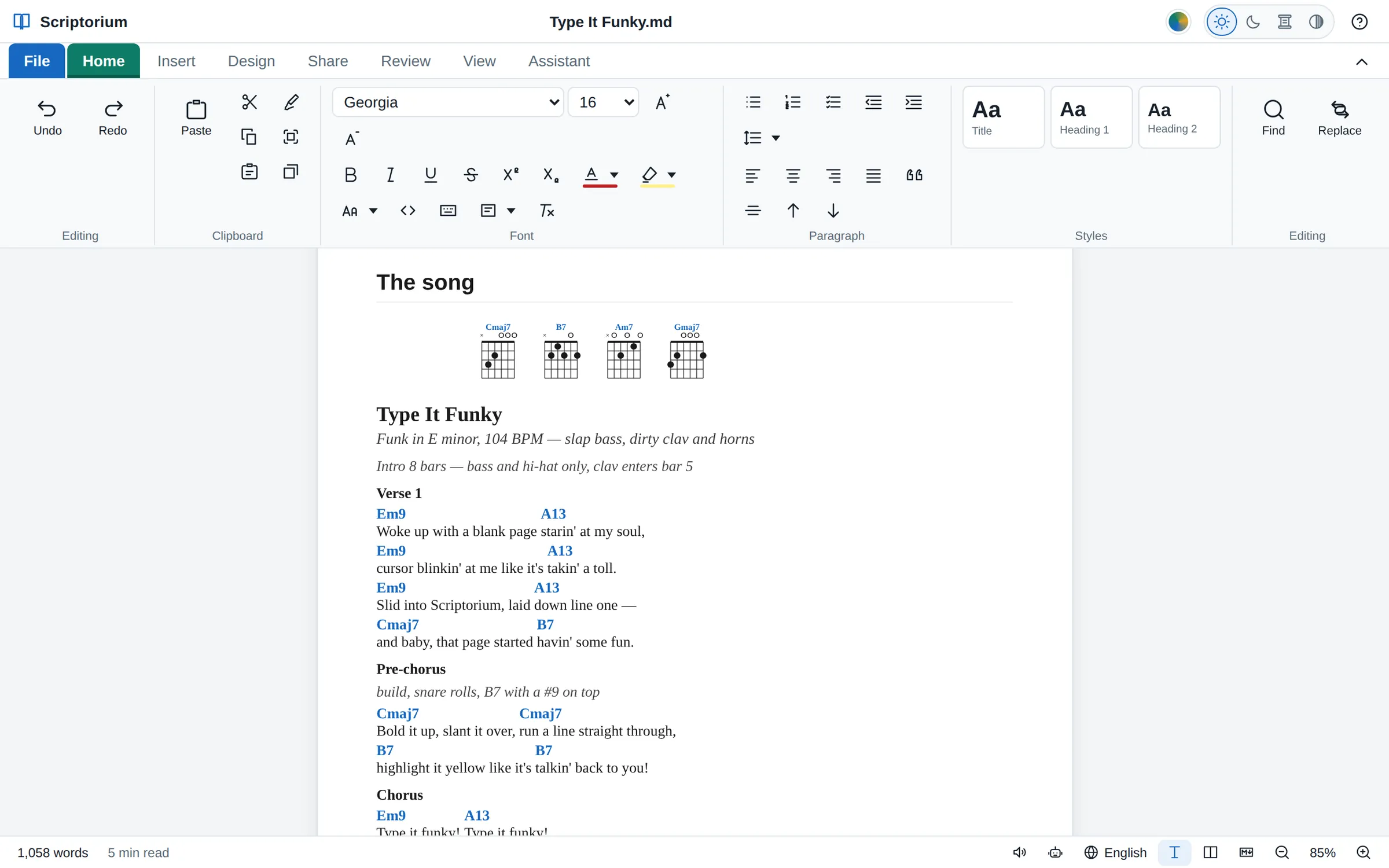
Type the words with the chords in square brackets. Scriptorium sets each chord over the right word, draws the chord boxes, and keeps every verse, chorus and bridge in its place. Write a tune in ABC notation and it becomes sheet music that you can play, and hear sung.
- ChordPro song sheets with chord diagrams
- ABC tunes shown as notes on the staff, played and sung
- Print a songbook, or save it as PDF for the band
Wall charts and posters, on any paper
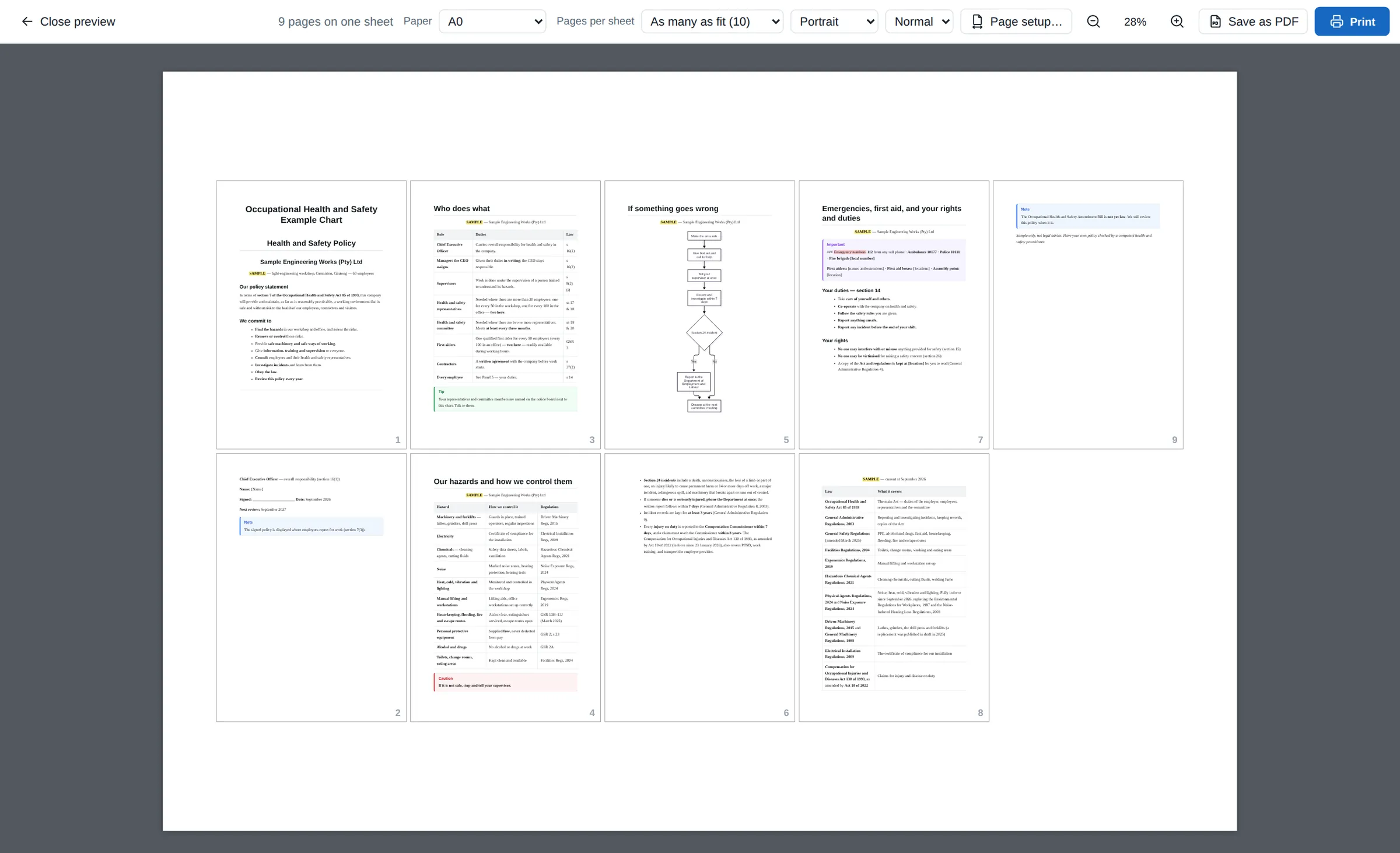
Write a policy, a procedure or a timetable as ordinary pages. When it has to go up on the wall, print all of it on one big sheet: A0, A1, A2, or a size of your own. Here the nine pages of a health and safety file become one A0 poster.
- Any paper size, with the pages per sheet worked out for you
- Flowcharts and charts drawn from a few lines of text
- Coloured boxes for notes, tips, warnings and cautions
Pictures, columns and rows where you want them
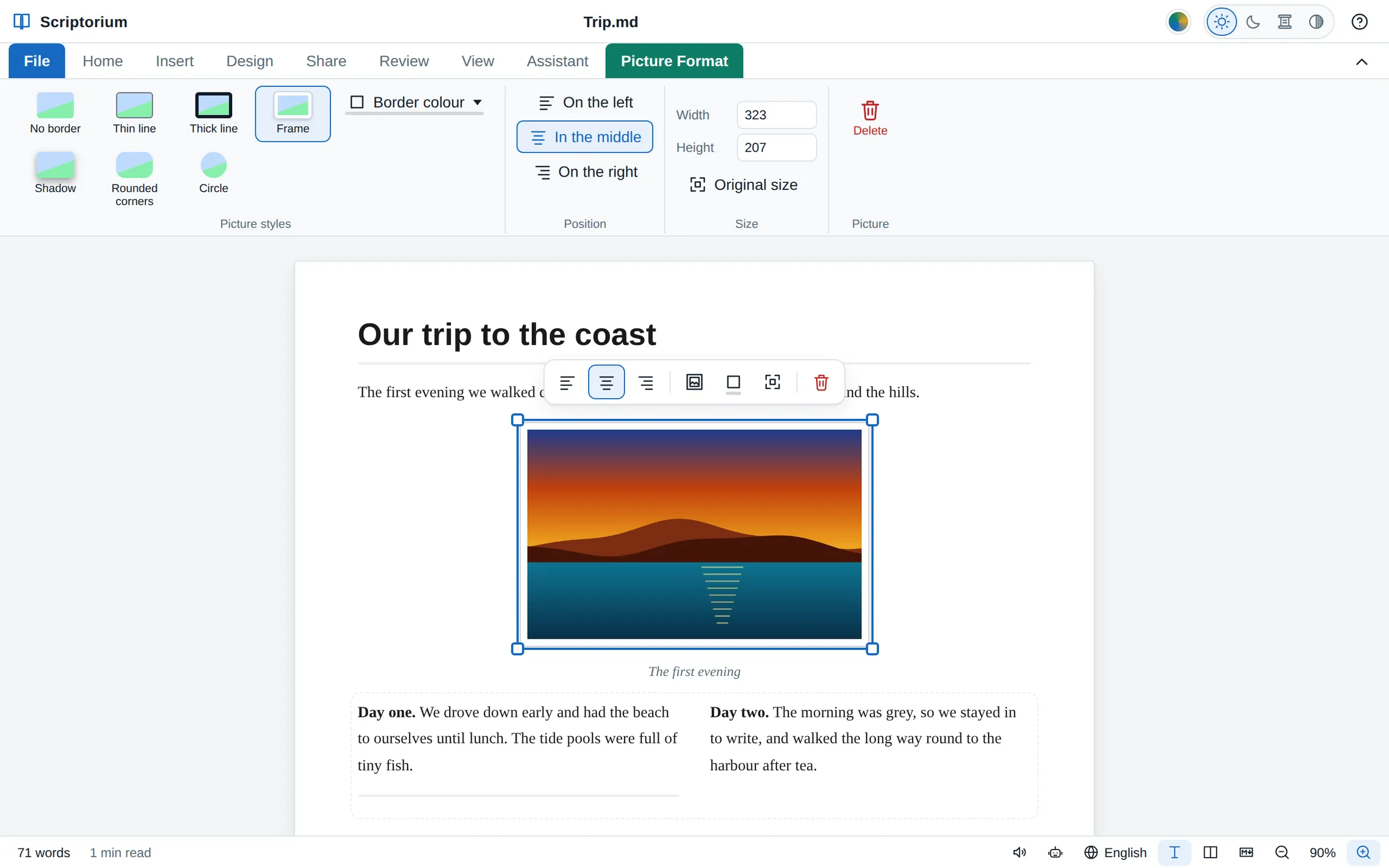
Click a picture to choose it. Drag a corner to size it, put it on the left, in the middle or on the right, and give it a frame, a shadow, rounded corners or a circle. Newspaper columns and rows of text are on the Insert tab, with sample text to type over.
- The picture's place, size and style go with it into Word and e-books, and most of it into OpenDocument
- Columns with a line under them; rows on the left, in the middle or on the right
Code that looks like code
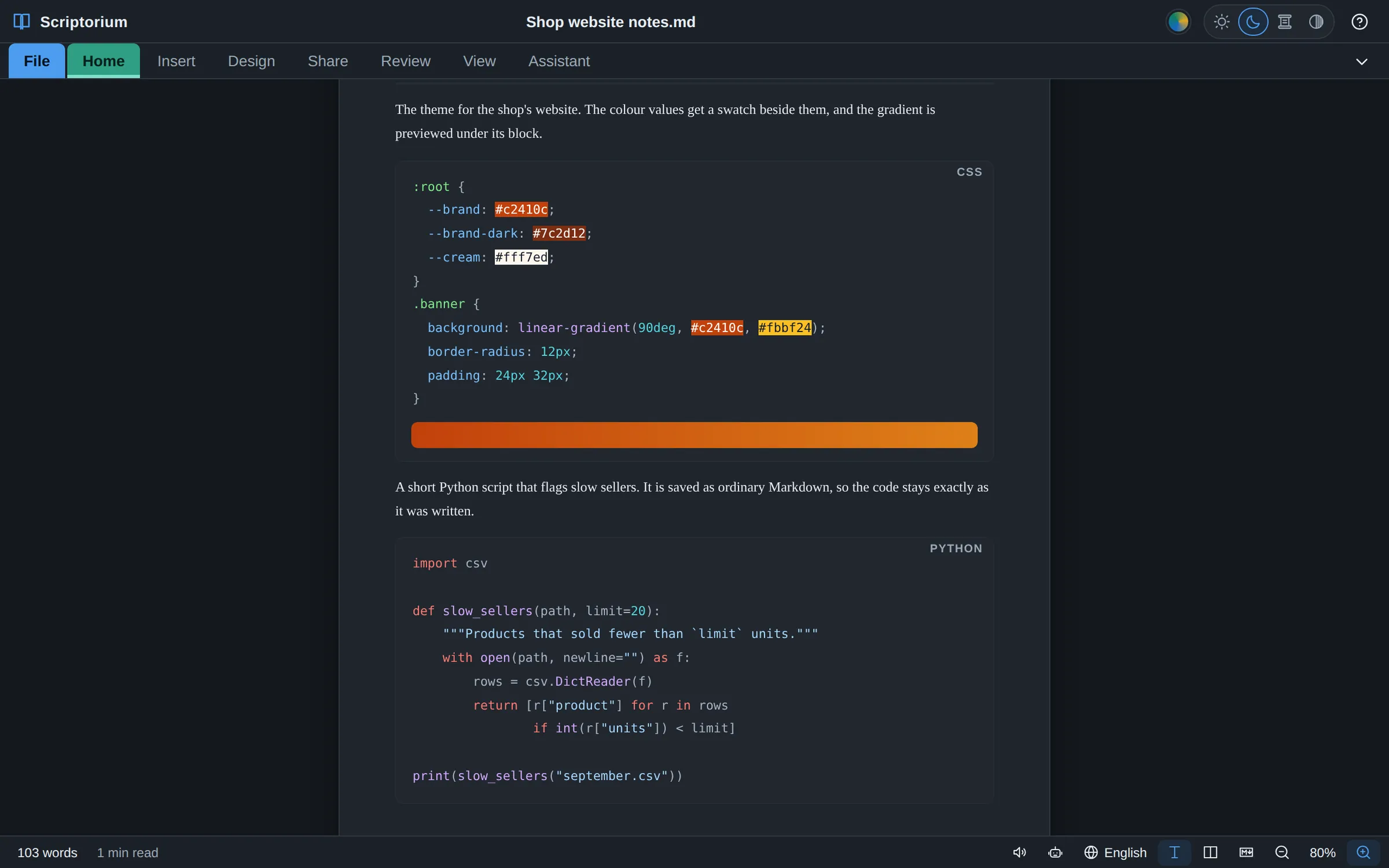
Code in a document shows in colour as you type, the way a programmer’s editor shows it, for HTML, CSS, JavaScript, TypeScript, Python, SQL, JSON, YAML and the shell. Colour values are shown in their own colour, and a CSS gradient is previewed under its block.
- Code blocks, code in a sentence, and keys like Ctrl S
- The colour is only painted on: what you copy and what you save is the code exactly as written
- And the Markdown behind every page, whenever you want to see it
And everything else
The everyday things, done carefully.
Styles and templates
Title, headings and quotes on the ribbon, each one yours to change, and 11 ready-made templates to start from: a letter, a report, a CV, a quotation, a newsletter, a recipe and more.
Tables
Numbers lined up on the right, cells merged across two or more columns when a heading needs the room, and a table split in two when it should be two.
Diagrams and drawing
Flowcharts and pie charts from a few lines of text, and shapes and a drawing canvas for everything else.
Equations
Maths typeset properly, with real fraction bars, roots and aligned working, drawn the same in print, PDFs, web pages and e-books, and simple formulas read aloud in words.
Spelling and statistics
Spelling checked as you type, with the local words of the country you write for, and a word count, the reading time and readability.
Opens what you have
Word (.docx) documents, the text of PDFs, web pages, Excel sheets, CSV, JSON, XML and RTF files come in as documents you can edit.
Saves what others need
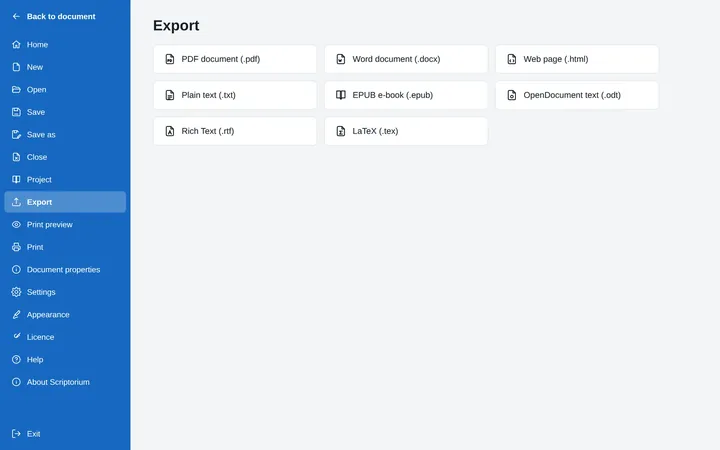
PDF, Word, OpenDocument, RTF, EPUB e-books, web pages, LaTeX and plain text. Your own documents are saved as Markdown, plain text that any program can open.
Easy on the eyes
Light, dark, sepia and high-contrast themes, a zoom that remembers, and an outline to jump around a long document.
Help that answers
Forty help topics inside the program, written in plain words and translated into all 60 languages.
Sixty languages. Every word of it.
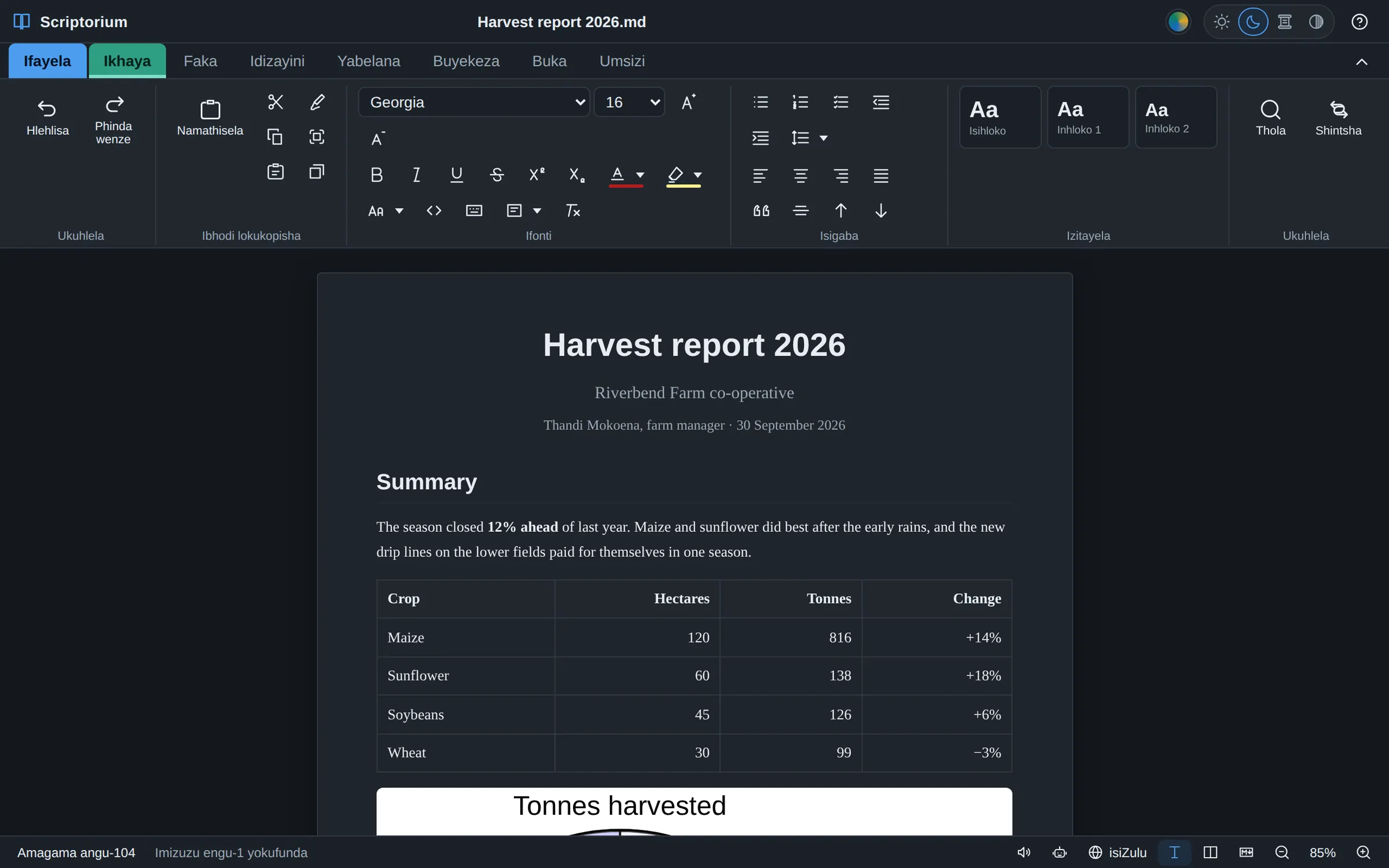
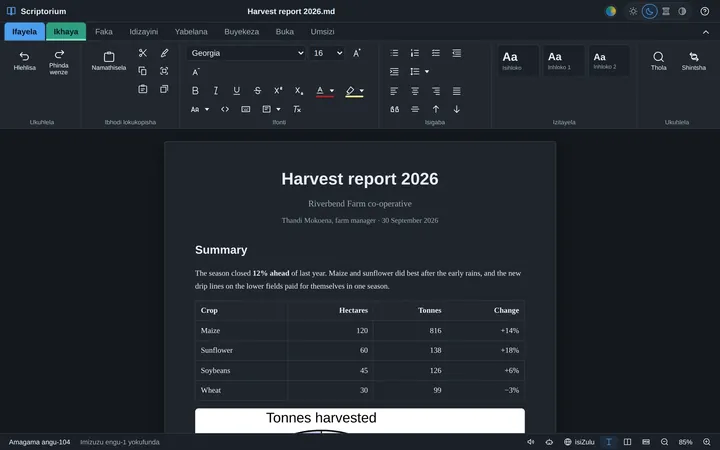
Every menu, button, message and help page in Scriptorium is translated. Change language at any time from the bottom of the window. Arabic, Hebrew, Persian, Pashto and Urdu turn the whole window round to read from the right.
- Afrikaans
- አማርኛ
- العربية
- বাংলা
- မြန်မာ
- 简体中文
- 繁體中文
- Čeština
- Nederlands
- English
- Français
- Deutsch
- Ελληνικά
- ગુજરાતી
- Hausa
- עברית
- हिन्दी
- Magyar
- Igbo
- Bahasa Indonesia
- Italiano
- 日本語
- Basa Jawa
- ಕನ್ನಡ
- ខ្មែរ
- 한국어
- Bahasa Melayu
- മലയാളം
- मराठी
- नेपाली
- Sepedi
- پښتو
- فارسی
- Polski
- Português
- ਪੰਜਾਬੀ
- Română
- Русский
- Sesotho
- සිංහල
- siSwati
- Soomaali
- isiNdebele
- Español
- Kiswahili
- Svenska
- தமிழ்
- తెలుగు
- ไทย
- Tshivenḓa
- Setswana
- Türkçe
- Українська
- اردو
- Oʻzbekcha
- Tiếng Việt
- isiXhosa
- Xitsonga
- Yorùbá
- isiZulu
Marked: the eleven written official languages of South Africa, every one of them in full.
It works on your computer. Here is exactly what it sends.
Scriptorium needs no account and no internet to do its job. Your documents are ordinary files on your own disk, and they never depend on us.
What Scriptorium sends to Momo Designs
- Until it has a licence, once a day when it is online: this computer's code, the day the trial began and whether it is still running, the version, the kind of computer and the language on screen.
- With a licence, about once a week: this computer's code, to check that the licence still stands.
- Only if you choose to register your trial: your email address and, if you give it, your name. News and offers only if you tick the box, and you can unsubscribe at any time.
The full details are in the Scriptorium privacy policy.
What it never sends
- Your documents, or anything you type, open or print
- Your name, unless you register or buy and give it
- Anything to advertisers: there are none
The one exception is the assistant, if you choose to set one up: your request, the open document (it can read all of it) and anything you attach go to the AI service you picked, under that service's own terms. With Ollama they stay on your computer.
Buy it once. Keep it.
No subscription and nothing to renew. Try everything for 14 days first. After that, Scriptorium stays a free Markdown reader: every document and project still opens and can be read, for as long as you like.
R1,799 in South African rand, for one computer, for ever
- Every future version of Scriptorium, free
- All 60 languages and every feature
- Works without the internet
- Personal or commercial use: school, office, church or home
- Moved to your new computer when you replace this one
Card payments are handled by Paystack, in rand: from outside South Africa your bank converts it.Card payments by Paystack open here soon; until then we sell by EFT. See the terms and the refund policy.
Buy a licence
The easiest way is inside Scriptorium: open File ▸ Licence and press Buy a licence. It knows which computer it is on.
Or buy here. A licence belongs to one computer, so type that computer's code:
Card payments open here soon. Until then we sell by EFT: type the code of the computer the licence is for and press Email us to buy. We reply with an invoice, and send the licence as soon as it is paid.
Paying by EFT, or for a school or office? Email [email protected] with each computer's code, and we will send one invoice and the licences when it is paid.
After you pay, go back to Scriptorium and press I have paid — fetch my licence on the Licence page. That is all. You can do it again at any time, after a reinstall for instance: the licence belongs to the computer.
Download Scriptorium
Everything is switched on for 14 days. No account, no card, no form to fill in.
Windows
Windows 10 and 11, 64-bitLinux
64-bit (x86-64)macOS
ComingScriptorium for the Mac is on its way. Email us and we will tell you when it is ready.
Android tablets
Android 7 or laterScriptorium 3.42.0 · Already have it? How updates work
Windows says “Windows protected your PC”
Windows shows this for programs it has not seen many times before. Choose More info, then Run anyway. If your browser holds the download back, choose Keep.
Starting the AppImage on Linux
Make it runnable once, then open it: right-click ▸ Properties ▸ Permissions ▸ Allow executing file as program, or in a terminal chmod +x Scriptorium-*.AppImage. Some distributions also need the libfuse2 package.
Installing on an Android tablet
Open the downloaded .apk file. If Android says that apps from this source are not allowed, choose Settings, turn on Allow from this source, and go back. If Google Play Protect asks, choose Install anyway.
Installing a new version over an old one
Download the new version and install it over the old one. Your documents, settings and licence stay as they were.
See what it makes
Real documents made in Scriptorium. The PDFs open anywhere; the projects and documents open in Scriptorium, where you can change them.
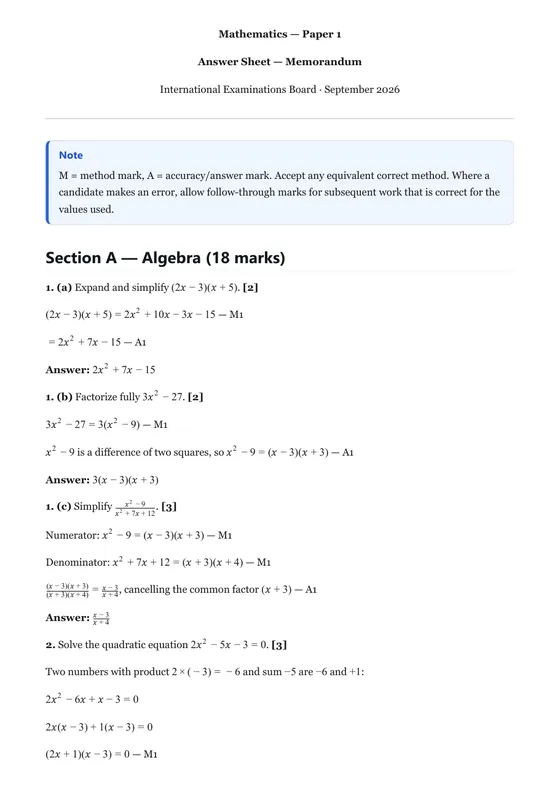
Grade 10 Mathematics exam
A question paper and its memo in one exam project.
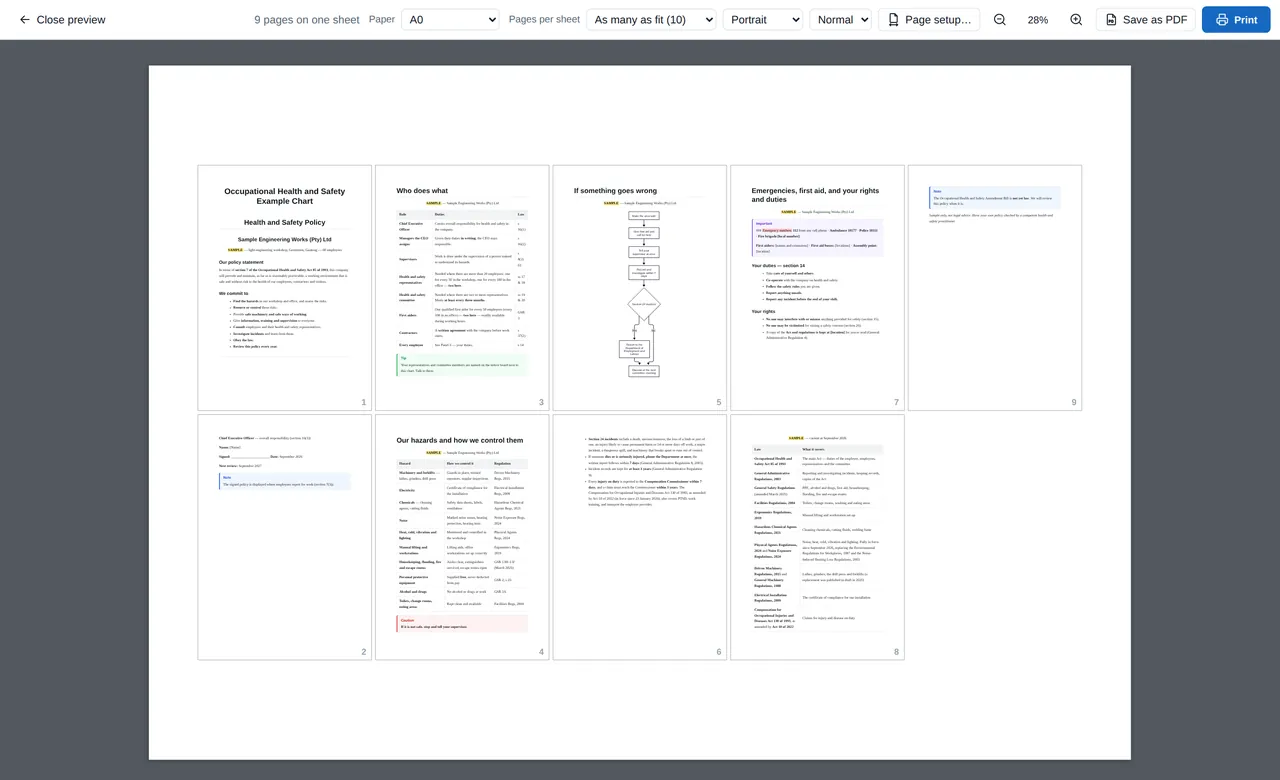
Health and safety wall chart
A sample policy, duties, a flowchart and the law, ready to print as one poster.
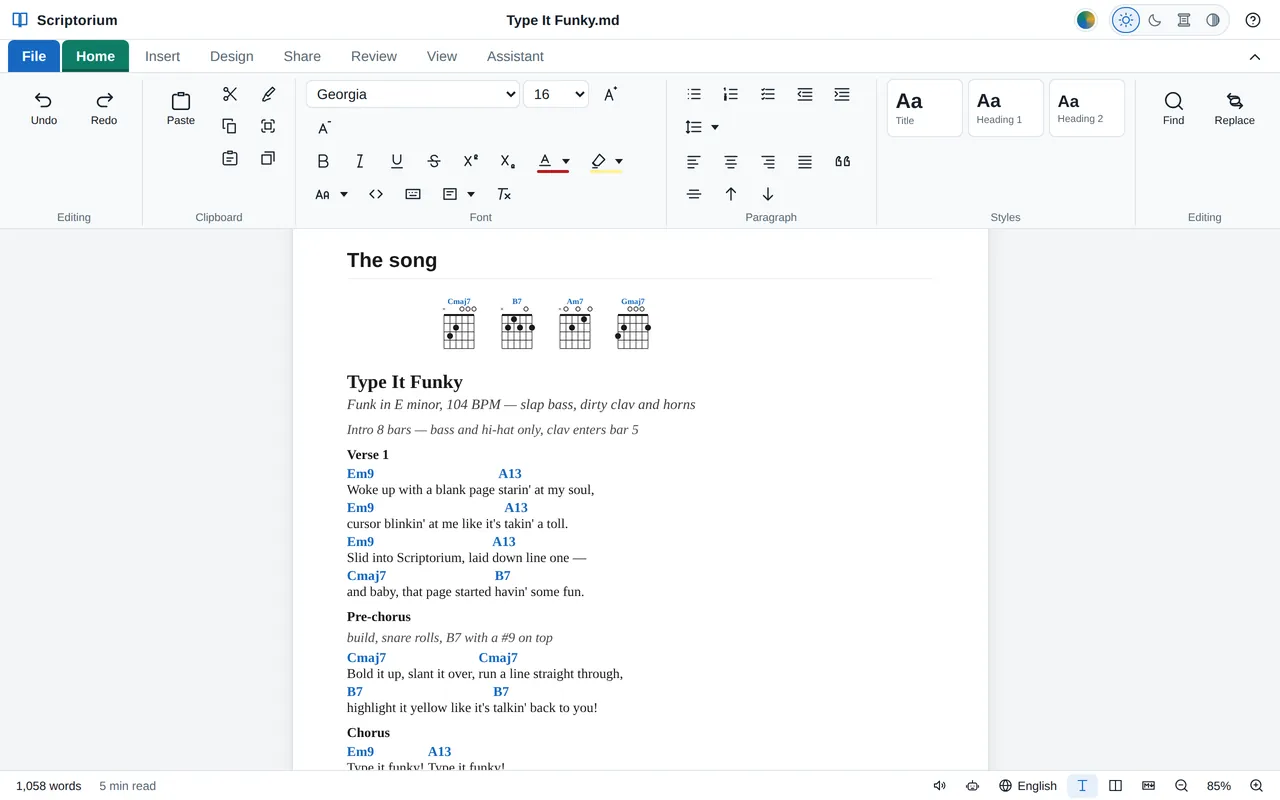
A song sheet
“Type It Funky”: the song map, chords over the words, and the tune in ABC.
How to do it, step by step
Short guides on the blog, from pasting an AI answer to setting an exam paper and printing a wall chart.
 Working with AI
How to paste an AI answer into a proper document
Copy an answer from ChatGPT, Copilot, Claude or Gemini, press Ctrl+V, and get a document: headings, lists, tables, code and formulas, without the chat window’s clutter.
 Word and PDF
From Markdown to Word, and back again
Scriptorium opens Word documents and makes them, along with PDFs, e-books and five other formats. What comes across each way, and what to know before you send.
 Languages
A word processor in isiZulu, Afrikaans, Sesotho and 57 more languages
Sixty languages, including all eleven written official languages of South Africa: what is translated, how to switch, and how spelling and local words fit in.
 Markdown
What is Markdown? A plain-words guide for people who never want to type it
The plain text behind AI answers, README files and many notes apps: what the marks mean, why it matters, and how to use it without learning any of them.
 Books
BooksWrite a book in Markdown, one chapter at a time
Keep the chapters, your notes and your talks with the assistant in one project file, then put the whole book together to read through, print or turn into an e-book.
 The assistant
An AI assistant that works in your document, not beside it
It reads your document, writes into it and shows what it did. Use Claude, ChatGPT, Gemini and others, your Claude subscription, or a model on your own computer.
Questions people ask
What is Markdown, and do I need to learn it?
Markdown is plain text with a few marks in it: # in front of a heading, ** around bold words, | between the columns of a table. It is the format ChatGPT, Claude, Gemini and most other AI programs write their answers in, and any program on any computer can open it. You never need to type it: Scriptorium writes it for you as you use the buttons. If you are curious, View ▸ Side by side shows it next to the page.
Can I paste answers from ChatGPT, Copilot, Claude or Gemini?
Yes. Copy the answer and paste it into Scriptorium: the chat window’s colours, buttons, site icons and source marks stay behind, and the answer is laid out as a document, with its headings, lists, tables, code and formulas. When what came with the paste is Markdown, As Markdown in the little box after the paste draws it from that instead. If an AI gives you a .md file, open it directly. And if you ever want the symbols themselves, Paste as plain text keeps them.
Does Scriptorium need the internet?
No. It works on your own computer without a connection. When it is online it checks on its trial or licence now and then, and it uses the internet for things you ask for: the assistant, dictation, voices for reading aloud, registering, and pictures that a document links from the web. The first time you check spelling in a language, its dictionary may be downloaded.
What happens when the 14 days are up?
Scriptorium becomes a free Markdown reader. Every document and project still opens and can be read, in every view, the Markdown code included, for as long as you like. Writing, saving, printing and exporting, copying, the assistant and reading aloud need a licence. Enter one and everything comes back at once, with nothing to reinstall.
Is it a subscription?
No. You pay USD 100 (R1,799) once for each computer, and every future version of Scriptorium is free.
How do I get updates?
Download the newest Scriptorium from this page and install it over the old one. Your licence carries on, because it belongs to your computer, not to a version.
I am replacing my computer. What happens to my licence?
Email us the new computer's code (File ▸ Licence ▸ This computer) and we will move your licence to it. The same goes if Scriptorium ever says your licence is for a different computer: email us the code it now shows and we will sort it out.
Can I use it at work or at school?
Yes. The licence covers any lawful use, personal or commercial. Each computer needs its own licence; for several, email us the codes and we will send one invoice.
Will it open my Word documents?
Yes: it opens Word documents (.docx, the kind Word has saved since 2007) and exports to Word, as well as to PDF, OpenDocument, RTF, EPUB, HTML, LaTeX and plain text, so you can swap files with anybody. Older .doc files need saving as .docx first.
What kind of files does it keep my work in?
Your documents are saved as Markdown (.md): plain text with a few marks for headings, lists and bold, which any program can open. A project (.quire), such as an exam paper with its memo, keeps its documents together in one file.
Do I need an AI subscription?
No. Everything except the assistant works without one. If you would like the assistant, you can use a Claude subscription through Claude Code, your own key for one of six AI services, or a model running on your own computer with Ollama.
Is my writing sent anywhere?
Never to us. Scriptorium sends Momo Designs only a computer's code and a few facts about its trial or licence, as listed above. If you use the assistant, your request and the document it reads go to the AI service you chose.
Is there a Mac or Android version?
For Android, yes: download the app for a tablet with Android 7 or later. The Mac version is on its way. Email us and we will tell you when it is ready.
What if it does not work for me?
Please use the 14-day trial to make sure it does what you need. If something goes wrong after you buy, email us: see the refund policy for when we refund.
Try it on your own work.
Fourteen days, everything switched on, nothing to sign up for.